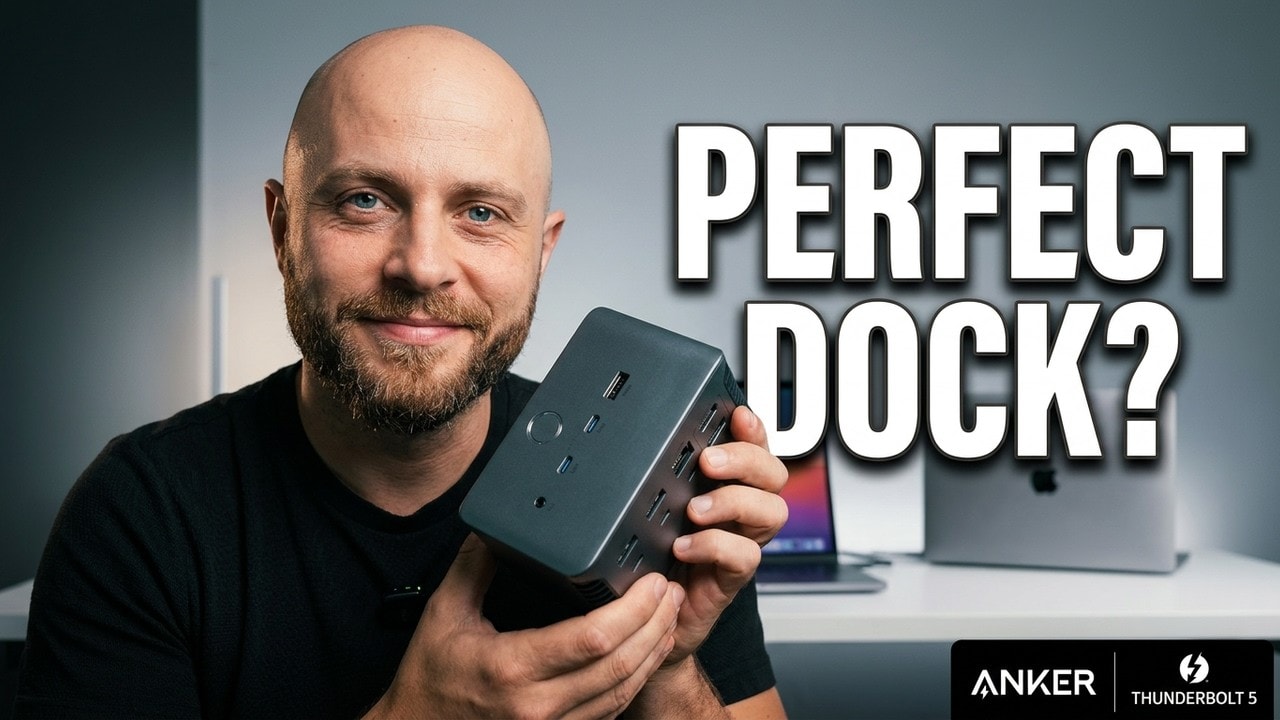
8.5 out of 10: a serious desktop dock that readies the whole desk with one cable. Expensive, and worth it only if your desk uses what it offers.
- Thunderbolt 5 with up to 140W charging
- Integrated power supply, no brick
- Great build quality
- One cable for the whole desk
- $400 price
- UHS-I card readers only
- HDMI and DisplayPort can't be used at the same time
- Overkill for a single monitor or a few USB ports
Four hundred dollars for a dock. Not a monitor, not an SSD, not a GPU. Just a box you plug your MacBook into.
That price makes me stop and think. At $400, adding a few USB ports is not enough. I want something that makes my desk easier to use, keeps the clutter down, and earns its place next to an expensive laptop.
That is why I tested the Anker Prime TB5. It promises a full desktop setup through one Thunderbolt cable: displays, storage, Ethernet, keyboard, mouse, memory cards, and power. Everything stays connected to the dock. The laptop comes and goes.
I like this bad boy. The build quality is great, the single-cable setup makes sense, and there is no separate power brick to hide under the desk. But perfect? Not quite. The price hurts, the card readers are disappointing for this class of product, and the display connections need some explanation.
My score is 8.5 out of 10. For a demanding Thunderbolt workstation, it is a serious option. For a basic MacBook setup, it is probably more dock than you need.
Quick Summary
- I rate the Prime TB5 8.5 out of 10 for a demanding desktop workstation.
- Thunderbolt 5, 140W charging, and an integrated power supply make the single-cable setup appealing.
- The $400 price, UHS-I readers, and mutually exclusive HDMI and DisplayPort outputs are its main drawbacks.
- I would skip it for a basic single-monitor setup or just a few extra USB ports.
The Real Point: One Cable and the Whole Desk Is Ready
The best thing about the Anker Prime TB5 is not any individual specification. It is what happens when I sit down to work.
I connect one cable to the MacBook, and the rest of the workstation is already there. The monitor stays connected. So do the Ethernet cable, external SSD, keyboard, and mouse. Power comes through that same laptop connection.
When I leave, I disconnect one cable. When I return, I reconnect one cable. Simple.
That is the whole point of a docking station, and it is what I like most here. A laptop can be a portable computer when I need it and the center of a desktop setup when I am at my desk. I do not want to rebuild that setup every time I bring the laptop back.
Of course, the dock does not make the peripheral cables disappear. They still have to go somewhere. What it does is give them a permanent home, instead of leaving several connections hanging off the laptop.
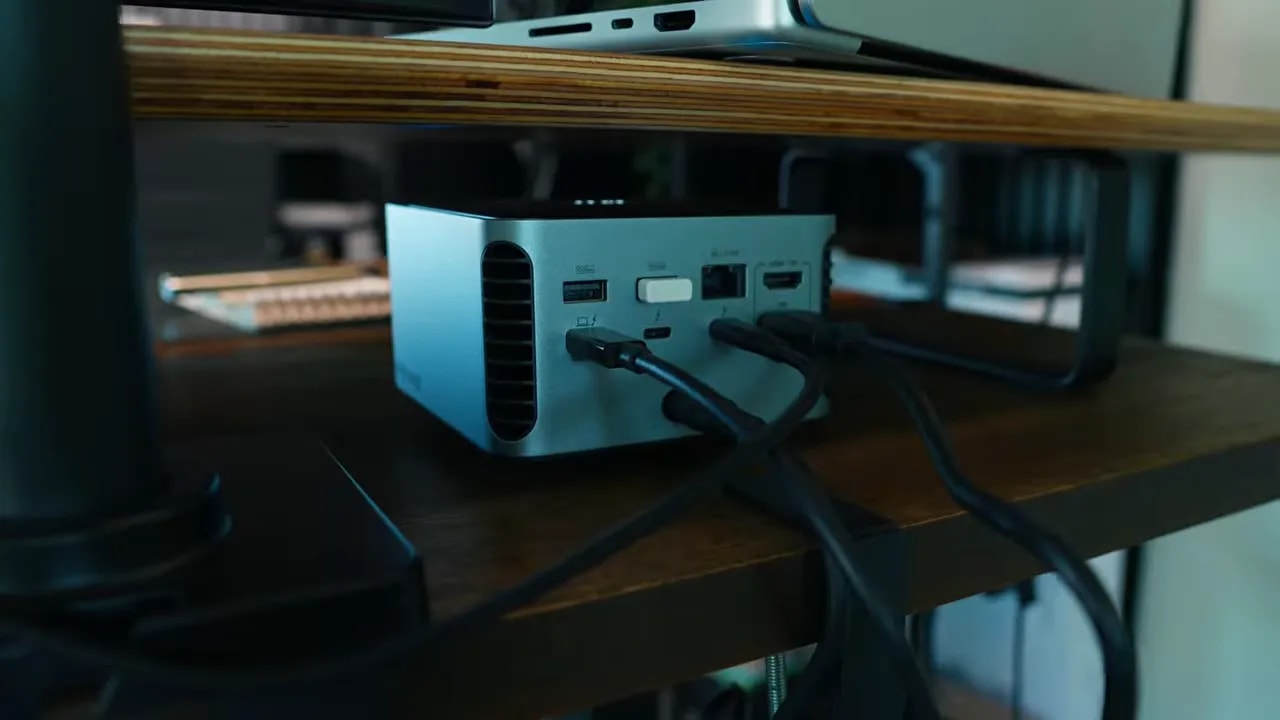
If you rarely move your laptop, that convenience might not feel worth $400. If your laptop regularly leaves the desk, the value becomes easier to understand. It is a small action, but it is the action this product is built around.
Ports and Specifications: Plenty of Connections, With a Catch
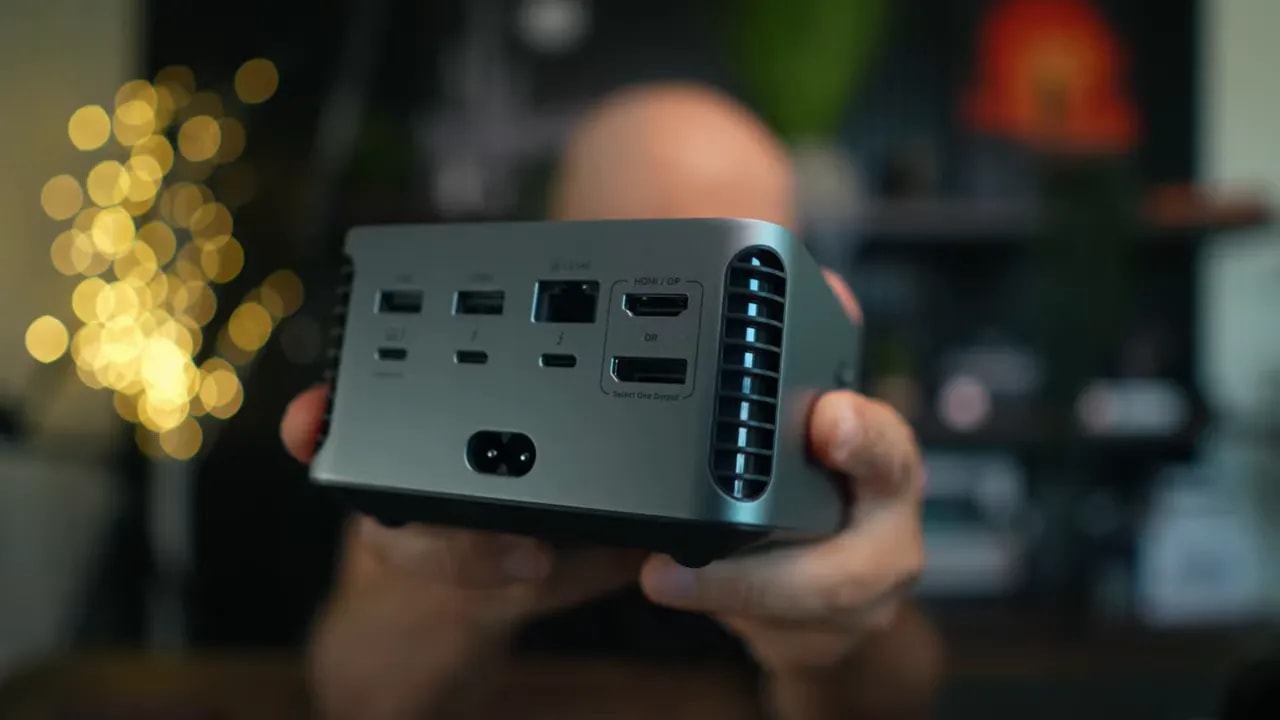
The Prime TB5 is a 14-port desktop dock. The important connections and capabilities are:
- One Thunderbolt 5 upstream port for connecting the laptop.
- Two Thunderbolt 5 downstream ports for compatible peripherals and display connections.
- Three USB-A ports and two USB-C ports, with 10Gbps USB connectivity and up to 45W of shared power.
- 2.5Gb Ethernet for wired networking.
- HDMI 2.1 and DisplayPort 2.1, although these two outputs cannot operate simultaneously.
- SD and microSD card readers, limited to UHS-I.
- Up to 140W laptop charging through USB Power Delivery 3.1.
There is a lot here for a desk with a mixture of older USB accessories and newer Thunderbolt hardware. I do not have to choose a dock only around the monitor connection and then work out where everything else will go.
But the details matter. The 45W USB power figure is shared, not 45W available independently from every USB port. Likewise, having both HDMI and DisplayPort on the back does not mean I can connect a monitor to each and use both outputs together.
Those are the kinds of distinctions I want clear before spending this much money. A long port list is useful, but it is not the same thing as every possible combination working at once.
Thunderbolt 5: Useful Bandwidth, Not an Automatic Upgrade
Thunderbolt 5 is the main reason to consider this dock over something simpler. It offers up to 80Gbps of bandwidth in normal operation, with up to 120Gbps available in Bandwidth Boost mode for demanding display traffic.
Those numbers are impressive, but I would not buy it just because the number is bigger. If all you connect is one monitor and a mouse, you are unlikely to notice the benefit.
The stronger case is a desk with fast external SSDs, several displays, and high-speed networking. That is where several demanding connections have to share the link back to the laptop. More bandwidth gives that setup more room to work without the dock connection becoming the limiting factor.
For heavy file work, that matters. If external storage is a regular part of your working day, the connection between the computer and the rest of the desk deserves some attention. It is not just about having a socket that physically fits the cable.
Still, these are connection capabilities, not a promise that every attached device will run at its maximum speed simultaneously. The laptop and the connected hardware remain part of the equation. Intel’s Thunderbolt overview provides useful background on the standard if you are comparing laptop connections.
My buying advice is straightforward: pay for Thunderbolt 5 because your workstation can use it, not because a basic desk suddenly needs a premium dock.
Display Support: Do Not Buy It for the 8K Label Alone
The Prime TB5 can support very high-resolution displays. The 8K label looks good on the box, but that is not enough information to plan a multi-monitor MacBook setup.
The actual display arrangement depends on the laptop’s GPU and Thunderbolt controller. The dock is part of that system. It does not replace the computer’s own display capabilities.
There is also the specific limitation I mentioned earlier: HDMI 2.1 and DisplayPort 2.1 cannot be used at the same time. You get a choice between those outputs, not two independent monitor connections that can both be active together.
That does not mean this is only a single-monitor dock. It also has Thunderbolt downstream connections. It means I need to check the complete setup rather than count display-shaped ports and assume everything will work.
Before buying, I would confirm three things:
- The external-display support of the exact laptop model.
- The resolution and refresh rate required by each monitor.
- The connections needed to make that particular monitor arrangement work through the dock.
This is a small minus in my overall score, but it can be a big issue for a specific desk. If your plan depends on using HDMI and DisplayPort simultaneously, this is not the right dock for that plan.
140W Charging and No Separate Power Brick
The Prime TB5 can deliver up to 140W to the laptop through USB PD 3.1. The practical benefit is fewer chargers around the desk and one cable handling both the workstation connection and laptop power.
The important wording is “up to.” I would not treat 140W as a guarantee that every laptop will draw that amount. It is the dock’s charging capability, rather than a fixed charging rate for anything plugged into it.
What I really appreciate is that the power supply is inside the dock. I do not have another ugly brick sitting on the table or tucked underneath it.
That matters more to me than it might to someone else. I am picky about what stays on my desk. If a product is supposed to simplify the setup, I do not want it creating another separate box that needs hiding.
This is where the Prime TB5 feels like a proper desktop product. The power and connectivity are together in one solid metal enclosure. There is still a power cable, obviously, but not an additional external brick to manage.
Build Quality: Chunky, Solid, and Made to Stay Put
I have very little to complain about with the build quality. The Prime TB5 feels substantial, and the metal box looks good on a desk.
It is chunky. This is not the little hub I would choose to carry around with a laptop. I see it as a permanent part of the workstation, with the cables arranged once and left alone.
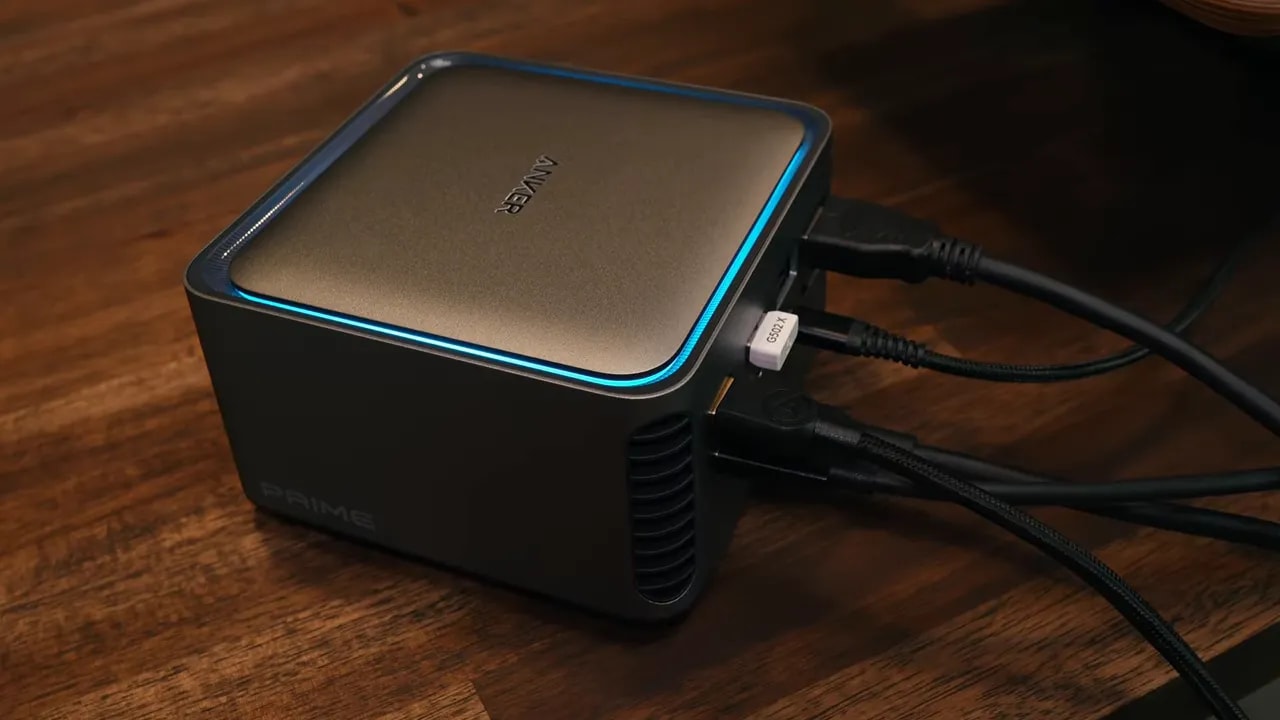
For that job, the design works. It looks like something that belongs on the desk rather than an adapter I have temporarily dropped beside the computer.
I know appearance is not the main specification, but I have to live with this thing during work. Less clutter helps me think. I find it easier to connect ideas when the table in front of me is not full of little boxes, chargers, and loose connections.
The Prime TB5 fits that preference well. I am paying for connectivity, but the way it packages that connectivity is part of why I like it.
The Biggest Disappointments: Price and Card Readers
$400 Is Still a Lot for a Dock
No matter how much I like the setup, the price is the biggest negative. Four hundred dollars is serious money for an accessory that connects other accessories.
I can justify that more easily when the dock is supporting a powerful laptop, multiple displays, fast storage, and wired networking. In that situation, it is doing a substantial job every day.
For a few extra USB ports, I cannot make the same argument. The convenience is real, but convenience alone does not make every configuration good value. I would rather match the dock to the desk than buy the most capable option and leave most of it unused.
UHS-I Feels Out of Place Here
The SD and microSD readers are only UHS-I. For casual transfers, that is fine. For large video files, it is a weak point.
This bothers me because the rest of the dock is aimed at demanding work. There is Thunderbolt 5 bandwidth, fast networking, and substantial charging power, then a much less ambitious card-reader specification.
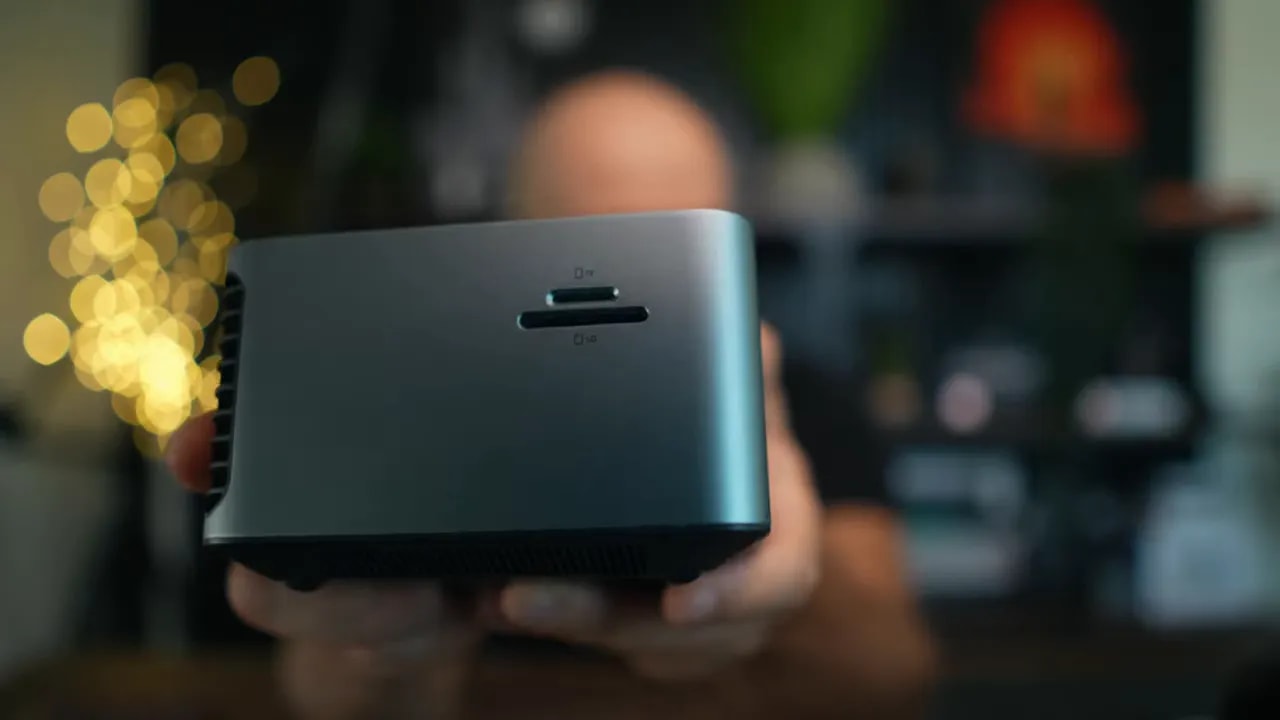
If memory cards are only an occasional part of your workflow, this may not matter much. If transferring large amounts of footage is a regular task, I would give it proper weight in the buying decision.
I do not want to spend $400 on a central connection box and immediately feel that one of its built-in connections is the part I would rather work around.
Compatibility: Check the Laptop Before Spending Anything
The compatibility requirements are strict. This dock requires a Thunderbolt 4 or Thunderbolt 5 computer. Thunderbolt 3, ChromeOS, and Linux are outside its stated support.
That means I would not buy it simply because a laptop has a USB-C-shaped port. The connector shape is not enough. I want to know exactly what the port supports.
There is also a difference between compatibility and getting the full benefit. Support for a Thunderbolt 4 laptop does not turn that computer into a Thunderbolt 5 machine.
Before ordering, I would check the exact laptop model, its Thunderbolt generation, and its external-display capabilities. This is not the place to rely on “it should probably work,” especially at this price.
Who Should Buy the Anker Prime TB5?
I would seriously consider it for a powerful MacBook Pro or a Thunderbolt 5 Windows laptop that sits at the center of a demanding desktop setup.
The strongest fit is someone using several of its capabilities together:
- Multiple displays in a confirmed compatible arrangement.
- Fast external SSDs for substantial file work.
- 2.5Gb Ethernet connectivity.
- Several USB peripherals that stay at the desk.
- A laptop that regularly needs to disconnect from the whole workstation.
For a MacBook Air with a straightforward single-monitor setup, my answer is no. Not because a tidy desk is unimportant, but because I do not see enough benefit to justify this particular dock.
The same goes for someone who only needs a few extra USB ports. I would choose something simpler. And if portability is the priority, this chunky desktop box is not what I would carry.
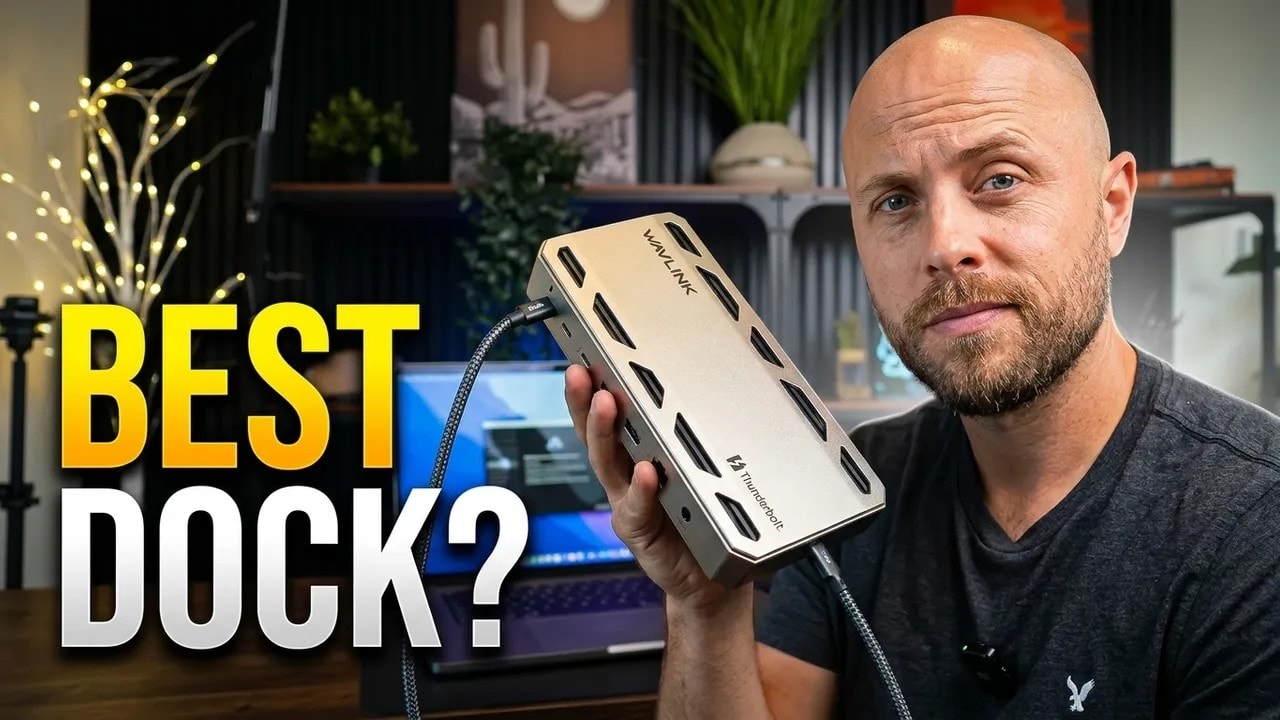
Anker Prime TB5 vs Wavlink UTD58: I also reviewed the Wavlink UTD58, another Thunderbolt 5 dock with 140W charging. It costs less, around $300, but has no HDMI or DisplayPort outputs and needs a large external power brick, while the Anker builds the power supply in. Read the Wavlink UTD58 review.
Final Verdict: Not Perfect, but a Serious Desktop Dock
The Anker Prime TB5 earns 8.5 out of 10 from me. The biggest deduction is the $400 price, followed by the UHS-I card readers. The HDMI and DisplayPort restriction takes a smaller deduction, although it deserves careful checking before purchase.
What brings the score back up is the overall package. Great build quality, Thunderbolt 5 connectivity, up to 140W charging, and an integrated power supply make it a convincing permanent desk dock.
I recommend it for the right workstation. I would not recommend it automatically to everyone with a MacBook.
The reason to buy it is not the number 14 on the port list. It is the ability to sit down, connect one cable, and have the whole desk ready. If that desk includes the hardware to make use of its capabilities, this metal box starts to make sense. Expensive, yes. But useful in exactly the way I want a dock to be.
As an Amazon Associate, I earn from qualifying purchases. Using my affiliate link costs you nothing extra and helps support more gear reviews.
|