The Rainy75 V2 sounds deeper and feels more solid than my Rainy75 Pro, and the power switch is finally on the back. Getting to the dongle on my sample meant opening the case.
- Deeper, fuller sound than my Rainy75 Pro on the same desk
- Flexes noticeably less than the original
- Power switch on the back, not under Caps Lock
- Magnetic top frame comes off without screws, with swappable silicone supports inside
- USB-C, Bluetooth and 2.4 GHz all worked; no charging in the first week
- The dongle sits behind the mirror panel; on my sample I had to open the case to reach it
- My sample came without Command and Option keycaps
- Legends don't shine through
- One magnet piece came loose on my pre-production unit
- My sample's switches have no markings
| Layout | 75% |
|---|---|
| Case | Aluminum, magnetic quick-release top frame |
| Builds | Crisp (FR4 plate, Cocoa V2 Mist switches) and Deep (PC plate, Mango V2 Mist switches) |
| Dampening | Six layers |
| Battery | 10,000 mAh (claimed) |
| Polling rate | 8,000 Hz wired and 2.4 GHz |
| Connection | USB-C, Bluetooth, 2.4 GHz |
| Top-right corner | Keys, rotary knob or screen module |
| Price | $169 MSRP; $108 for the first 12 hours on Kickstarter |
WOBKEY sent me the Rainy75 V2 before launch. I already own the original Rainy75 Pro, and I called it one of the best keyboards I had used. That makes a second version risky: when the first one is already this good, an upgrade can turn into a list of features nobody asked for.
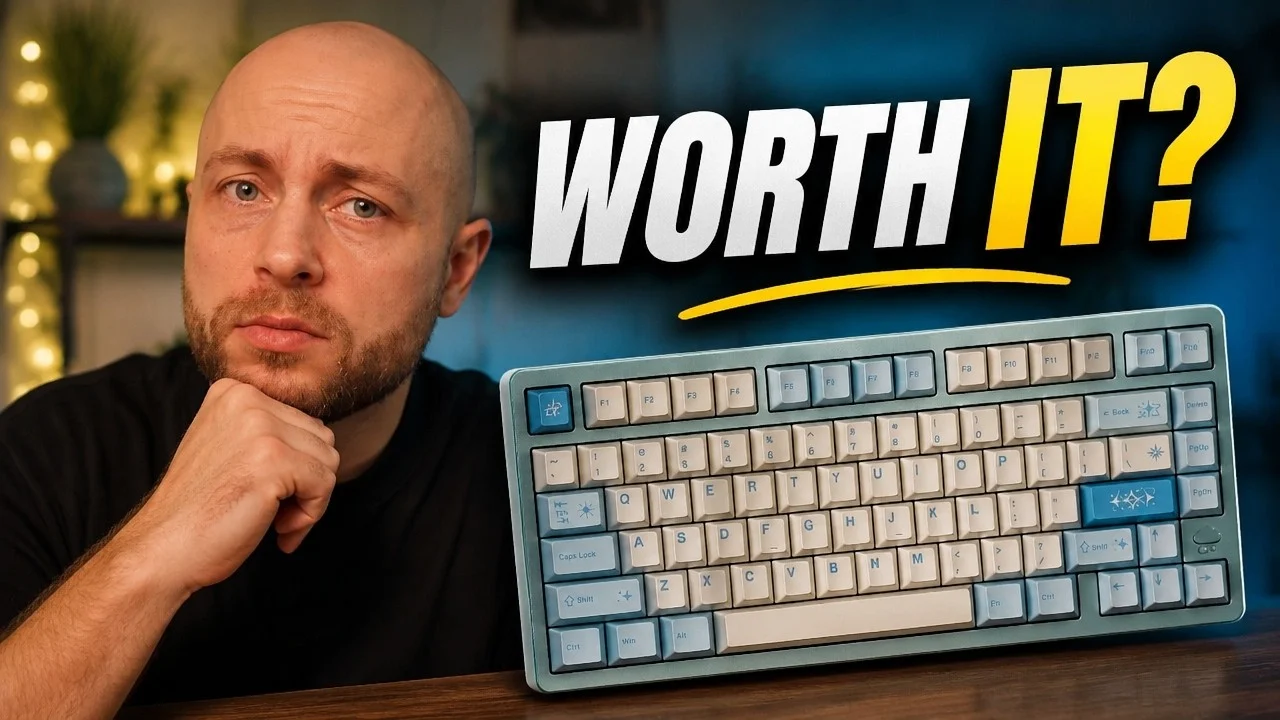
I used the V2 for a week, often eight hours a day, and compared both keyboards on the same desk. The V2 sounds deeper, feels more solid, and fixes the worst decision on the original. It also hides its wireless dongle in a place I could only reach by opening the case.
WOBKEY sent me this pre-production unit for free and didn't pay for the review. The Kickstarter link below is a referral link: WOBKEY pays me 5% of sales made through it.
Price and availability
WOBKEY lists the Rainy75 V2 at $169. The Kickstarter campaign starts on November 17 at 14:00 UTC (8:00 AM Central), and the price is $108 for the first 12 hours. WOBKEY says the V2 will reach Amazon at least 30 days after the campaign.
If you'd rather buy something you can have this week, the Rainy75 Pro is still on Amazon. My Rainy75 Pro review covers it.
Design and build: less flex, deeper keycaps
The V2 still looks unmistakably like a Rainy75, which I think is the right call. The aluminum body fits tightly, with no rattles.
The keycaps now sit deeper inside the case, and thicker separators around the function row make the layout look more structured. I prefer this more integrated look.
The case feels slightly lighter to me. WOBKEY hasn't published a weight, so that's an impression, not a measurement.
More importantly, the V2 flexes noticeably less than my original Rainy. I expected a magnetic case to feel less rigid, but the upper frame locks in firmly and the construction feels excellent.
The power switch is finally on the back
On the original, the power switch was hidden under the Caps Lock keycap. On the V2, WOBKEY moved it to the back.
That fixes my least favorite thing about the Pro. You don't have to pull a keycap to turn the keyboard off.
Sound: the biggest difference
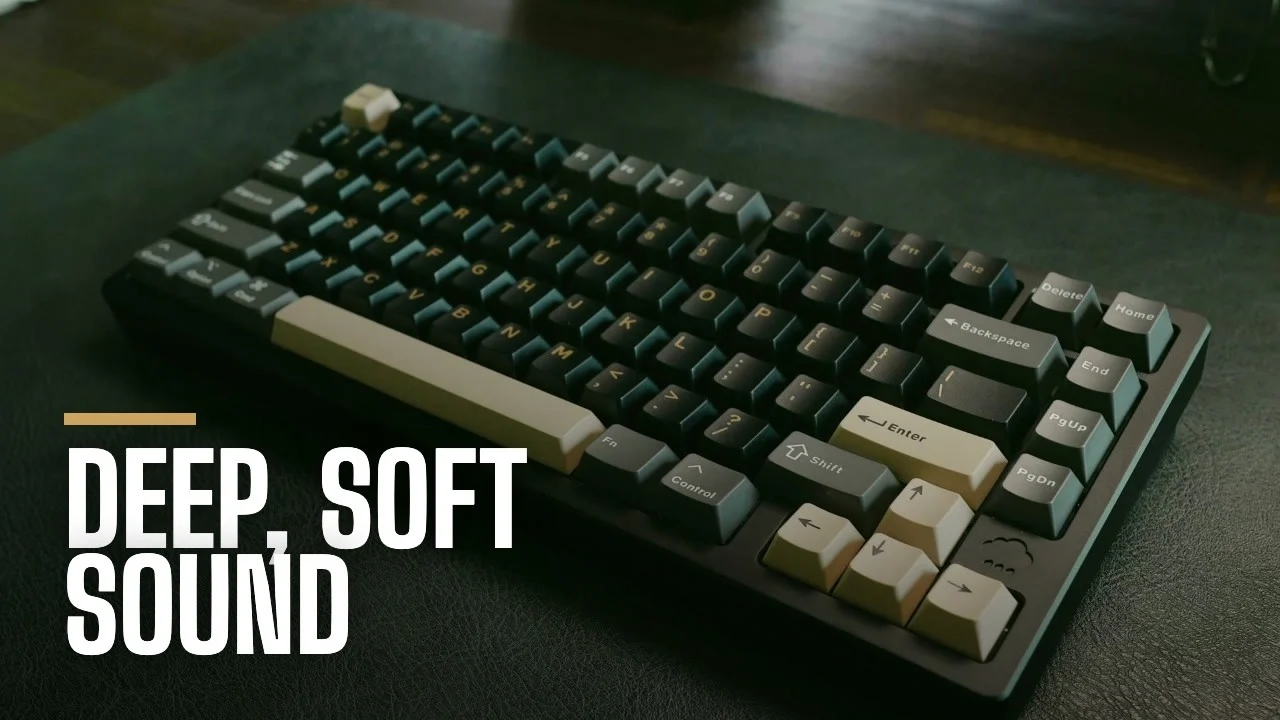
On the same desk, the original Rainy75 Pro sounds slightly higher and flatter. The V2 is deeper, creamier and more three-dimensional.
The spacebar is still one of Rainy's strongest details: firm, clean and full, without sounding like it belongs to another keyboard.
This isn't a perfect case-only comparison. My Pro uses Kailh Cocoa switches, while this pre-production V2 came with unmarked white switches. Neither the box nor the spare-switch package names them, so I can't credit every difference to the new construction.
But as complete keyboards, in the configurations I have, the V2 clearly sounds richer. You can hear both in the sound test in the video above.
WOBKEY lists two builds for the retail V2: Crisp, with an FR4 plate and Cocoa V2 Mist switches, and Deep, with a PC plate and Mango V2 Mist switches. If sound is your main reason to buy, the build you pick will matter.
The magnetic case and swappable supports
The V2 is much easier to open. The upper frame is held by strong magnets and lifts away without screws.
Lift it straight while pressing around the spacebar. Pulling one corner up at an angle risks damage.
Underneath, you can change how the internal assembly is supported. My unit arrived with silicone supports along the sides. I also tried the small round supports in the center and the longer silicone pieces from the box.
- Side supports (as it arrived): the default feel.
- Round center supports: everything felt more controlled.
- Longer silicone pieces: a slightly deeper sound.
The difference is real but small. It's fine-tuning for a keyboard whose basic feel you already like.
The rotary knob: I prefer the regular key
You also get a hot-swappable rotary knob module for the Delete position. I installed it but didn't use it daily, and WOBKEY hasn't documented its functions in English yet.
I prefer the regular key, because the knob looks slightly out of place to me. But giving buyers the choice is smart. WOBKEY says the same corner will also take a screen module.
Connections, Mac mode and battery
I tested USB-C, Bluetooth and 2.4 GHz, and all three worked normally. I spent most of the week on the dongle, because it feels immediate and I don't have to manage Bluetooth profiles.
Mac mode works much like it did on my first Rainy. The problem is the keycaps. My Pro package happened to include Command and Option keys; this V2 sample didn't. For a Mac user, that's a disappointing omission from an otherwise expensive-looking package. I hope the retail version includes them or offers a clear Mac option.
The legends still don't shine through, but I keep RGB off anyway.
WOBKEY lists a 10,000 mAh battery. I haven't charged the V2 once during this first week of long workdays, mostly on the dongle with RGB off. That's an observation, not a controlled battery test.
The downsides
The dongle is hard to reach
The strangest problem is the dongle storage. The receiver sits behind the large mirrored panel on the bottom. Strong magnets hold the panel, and on my sample I couldn't remove it from the outside with my fingers.
I found the internal release only after opening the case and removing the keyboard assembly. That's too much work to get a wireless receiver out.
A loose magnet on my unit
One magnetic piece on my pre-production unit wasn't fully secured and came loose when I turned the case over. It went back into place, but I'll check it on a retail unit.
I liked the old back panel more
I prefer the broken-glass design on the original Rainy. It looked more distinctive than this full mirror.
Rainy75 V2 vs Rainy75 Pro: should you upgrade?
If you already own the original Rainy75 and like it, don't rush to replace it. Upgrade only if the deeper sound, stiffer case, rear power switch, magnetic case, swappable supports or optional knob really matter to you.
If you're buying your first Rainy, the V2 is the version I'd look at first. After a week of full workdays, I prefer typing on it, mostly because of the richer sound and the more solid case.
My recommendation still depends on what ships: my unit is pre-production, and I haven't used a retail V2 yet. And WOBKEY, please give us a reasonable way to get that dongle out.
If you're deciding between a Rainy and a Hall Effect keyboard, my Keychron K2 HE review covers the other side.
FAQ
Does the Rainy75 V2 sound better than the Rainy75 Pro?
To me, yes: deeper and richer. My two keyboards have different switches, so not all of the difference comes from the case.
Where is the power switch on the Rainy75 V2?
On the back. On the original Rainy75 it's under the Caps Lock keycap.
Does the Rainy75 V2 come with Mac keycaps?
My pre-production sample didn't include Command and Option keycaps. Mac mode itself worked.
How much does the Rainy75 V2 cost?
WOBKEY lists $169. On Kickstarter it's $108 for the first 12 hours of the campaign, which starts November 17. WOBKEY says Amazon comes at least 30 days after Kickstarter.
How long does the battery last?
WOBKEY lists 10,000 mAh. I didn't charge it once in my first week of long workdays, with RGB off. I haven't run a full battery test.
Where is the dongle stored?
Behind the magnetic mirror panel on the bottom. On my sample I could only reach it after opening the case.
WOBKEY Rainy75 V2
WOBKEY Rainy75 Pro