Better than expected and more frustrating than hoped: impressive hardware for around $55, held back by software. A promising competitor rather than a full MX Master 3S replacement.
- MX Master-style shape for about half the price
- Quiet clicks and plenty of programmable buttons
- Up to seven connected devices
- Two dongles, one stored magnetically under the mouse
- The software did not detect the mouse over Bluetooth
- DPI settings did not stick
- Per-app profiles missing or unclear
- Materials feel less premium
| Sensor | Up to 12,000 DPI |
|---|---|
| Polling rate | 2,000 Hz |
| Buttons | 11 programmable |
| Connectivity | 2.4 GHz (3 devices), Bluetooth (3), cable (1) |
| Dongles | 2 included |
| Battery | Up to 120 days (claimed) |
| Protection | IP54 dust and splash |
| Wireless charging | Optional Qi base, sold separately |
| Price | About $55 |
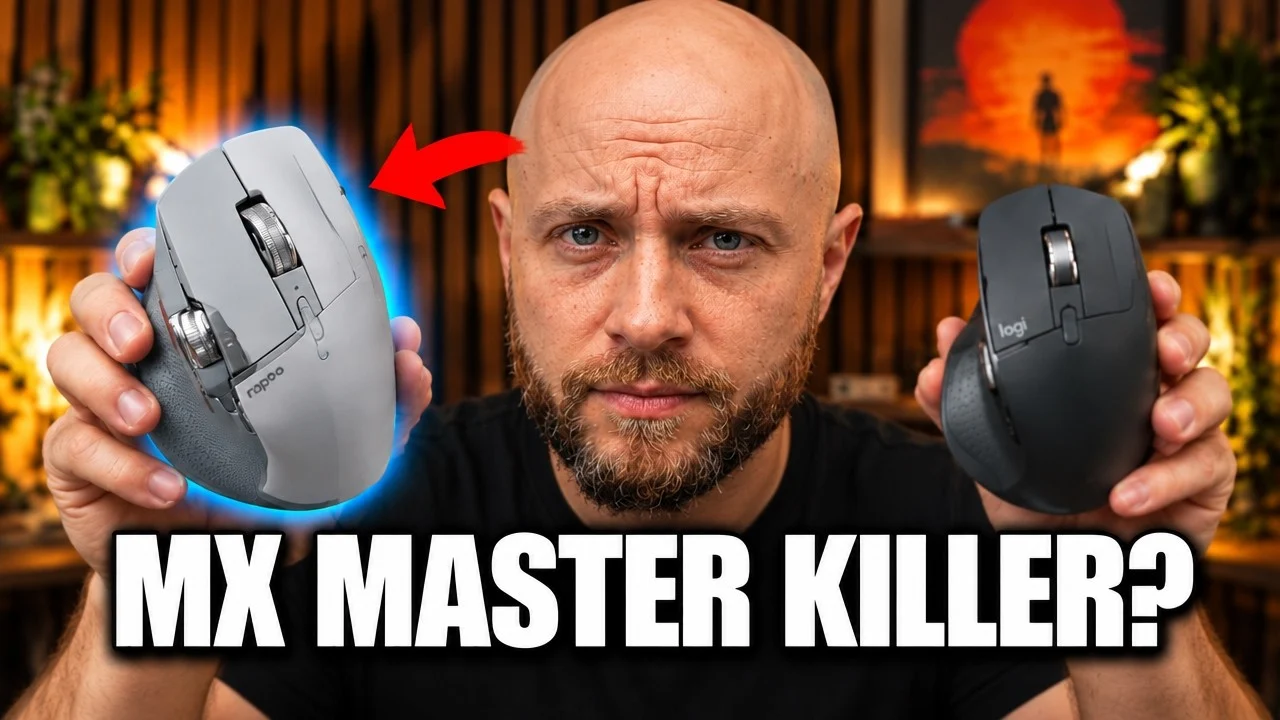
The Rapoo MT760 Pro is one of those products that immediately gets attention because it looks very familiar. At a glance, it is clearly aiming at the Logitech MX Master 3S crowd. Same overall shape, same productivity-focused button layout, same right-handed ergonomic design. The difference is the price. On Amazon, the Rapoo MT760 Pro sits around $55, which is roughly half of what the MX Master 3S usually costs.
That alone would make it interesting. But the real surprise is that the Rapoo MT760 Pro does not just try to copy the MX Master formula. On paper, it actually beats Logitech in several areas. Higher DPI, much higher polling rate, more aggressive connectivity options, onboard memory, splash resistance, and support for up to seven paired devices.
That sounds great until you actually use it for a week, because specs are not the same thing as experience. A mouse can win on a spec sheet and still lose the moment it touches your desk.
I spent time using the Rapoo MT760 Pro as a real productivity mouse, and the short version is this: the hardware is much better than I expected for the money, but the software still holds it back. If you are considering it as an MX Master alternative, do not make the decision based only on the marketing bullets.
Why the Rapoo MT760 Pro Looks So Tempting
The value proposition is obvious. For the price, the Rapoo MT760 Pro gives you a lot:
- 12,000 DPI
- 2,000 Hz polling rate
- 11 programmable buttons
- IP54 dust and splash resistance
- Up to 120 days of battery life
- Support for up to 7 devices
- Onboard memory
- Two wireless dongles included
Compared with the MX Master 3S, those are not minor differences. Logitech still wins on polish and ecosystem, but if you only compare raw specs, Rapoo comes out looking stronger than it has any right to at this price.
If you want to check the current price, here is the Rapoo MT760 Pro listing.
That makes the mouse easy to recommend at first glance. The problem is that budget gear often hides its compromises in the details: materials, button feel, wheel behavior, software reliability, and long-term durability. That is exactly where this comparison gets more interesting.
Shape and Comfort: Very Close to MX Master
In the hand, the Rapoo MT760 Pro feels immediately familiar. If you have used an MX Master before, you already know what kind of ergonomics to expect. It is designed for medium to large hands and gives your palm plenty of support. The thumb rest is there, the body fills the hand well, and the overall silhouette is close enough that most people shopping for an MX-style mouse will adapt to it right away.
That is one of the best things about this mouse. Rapoo did not go experimental here. It followed a shape that already works.
For office work, browsing, editing, and general multitasking, the comfort is genuinely good. I would not call the ergonomics revolutionary, but I also would not call them a cheap imitation in the way some no-name clones feel awkward or slightly off. This one gets the fundamentals mostly right.
Build Quality: Good for the Price, Not Premium
This is where expectations need to stay realistic.
The Logitech MX Master 3S feels premium because of its materials. The heavy rubberized coating, metal wheel accents, and overall density give it that expensive desk-tool vibe. The Rapoo MT760 Pro does not have that same feeling. It is lighter, more plastic-heavy, and the scroll wheels are plastic too.
That does not automatically make it bad. In fact, there is one area where the Rapoo approach may age better.
The MX Master line uses a soft-touch rubberized finish that feels excellent at first, but it can discolor, yellow, and peel over time. That premium texture does not always stay premium. The Rapoo MT760 Pro uses a lighter soft-touch coating that is less luxurious in the hand, but it may prove more practical in the long run.
There were complaints around older Rapoo models about the finish wearing badly, but the Pro version uses a different surface. After a week, it looked fine. That is obviously too short to make a durability verdict, but early impressions are better than I expected.
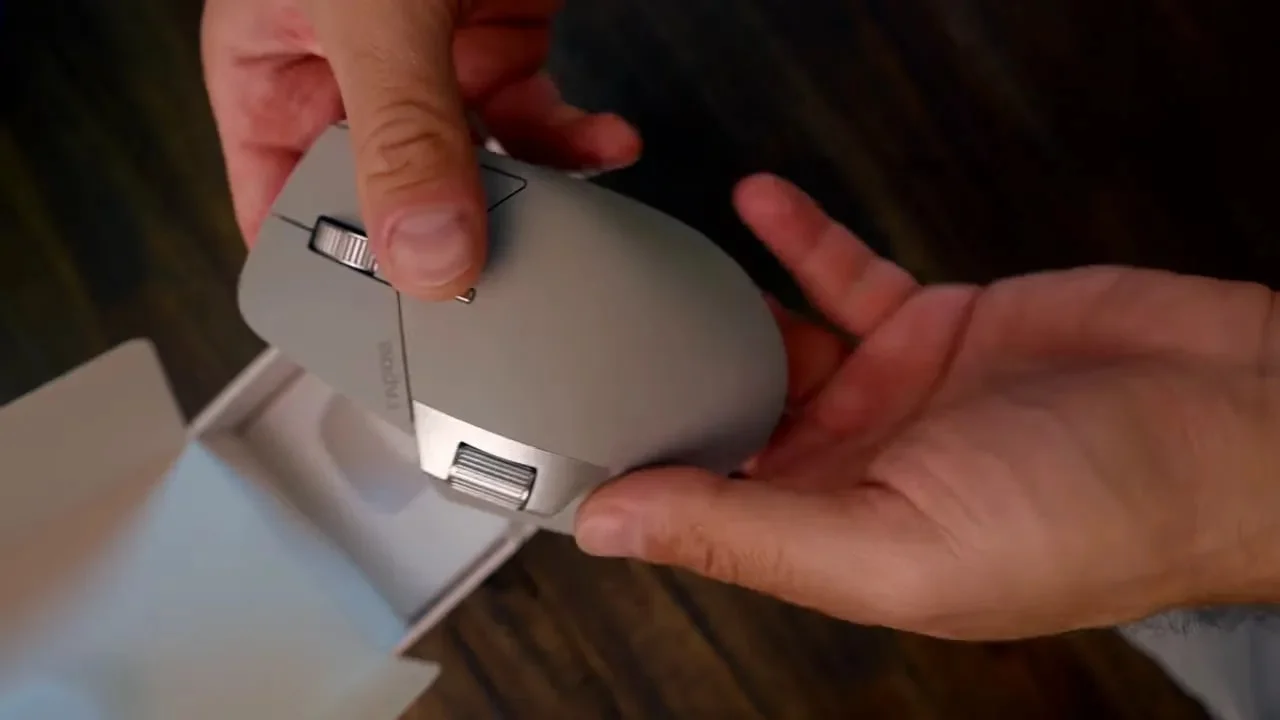
Weight is another noticeable difference. The Rapoo comes in much lighter than the MX Master 3S. If you dislike heavy productivity mice, that is actually a plus. The lower weight makes it feel more agile and less tiring during long sessions. If you associate weight with quality, though, the Rapoo may feel less substantial.
Buttons and Clicks: Quiet and Flexible
The main clicks on the Rapoo MT760 Pro are silent, and that is one of the first things I noticed. If you work in a shared space or simply hate loud mouse clicks, this is a strong advantage. The buttons are easy to live with for long workdays.
You also get 11 programmable buttons, which is a lot of flexibility for a mouse in this price range. That matters if your workflow depends on shortcuts, macros, browser navigation, media controls, or app-specific functions.
At a hardware level, Rapoo did a solid job here. The button count makes the mouse feel more capable than a basic office mouse, and it clearly targets productivity users rather than gaming-first buyers.
If you are interested in more desktop gear and practical hands-on recommendations, the TesovTech blog has more reviews and guides in the same style.
Scroll Wheels: Functional, But Not as Good as Logitech
This is one of the biggest differences between the Rapoo MT760 Pro and the MX Master 3S.
The main scroll wheel on the Rapoo is tactile and stepped. It gives you defined clicks while scrolling, which some people prefer for precision. But it does not have the MX Master’s free-spin infinite scroll behavior.
That means if you love flying through long documents or spreadsheets with Logitech’s magnetic wheel system, you will miss it here. Rapoo’s wheel is more ordinary. It works, but it is not special.
The side scroll wheel also has an issue. For my hand, it sits a bit too far forward. To reach it comfortably, I had to shift my palm backward. Once I did, it also felt a little too light, which made it easier for my thumb to slip.
So yes, the Rapoo has the side wheel, and yes, that looks great on a comparison chart. But in real use, Logitech still feels better thought out in this area.
Small Hardware Details I Actually Like
There is one clever design touch that deserves credit: the magnetic compartment under the mouse for dongle storage.
Inside the box, Rapoo includes two wireless dongles, and one can be stored neatly under the mouse. That is a smart move. It gives you redundancy if one fails, and it also makes multi-device setup a little easier.
For a mouse in this price class, that is the kind of practical thinking I like to see. Not flashy, just useful.
The Rapoo MT760 Pro also supports an optional Qi wireless charging base sold separately. I did not test that accessory, so I cannot comment on how well it works, but it is nice to see the option exist.
Connectivity: One of the Strongest Parts of the Rapoo MT760 Pro
Connectivity is one place where the Rapoo MT760 Pro really stands out.
You can connect it to up to seven devices total:
- 3 over Rapoo’s wireless dongle system
- 3 over Bluetooth
- 1 via cable
That is a lot of flexibility for anyone juggling multiple computers, tablets, or workstations. If your setup includes a desktop, a laptop, and maybe another machine for testing or travel, this becomes genuinely useful.
Rapoo includes two dongles in the box, which makes the package feel more generous than expected. Again, this is one of those areas where the Rapoo MT760 Pro punches above its price.
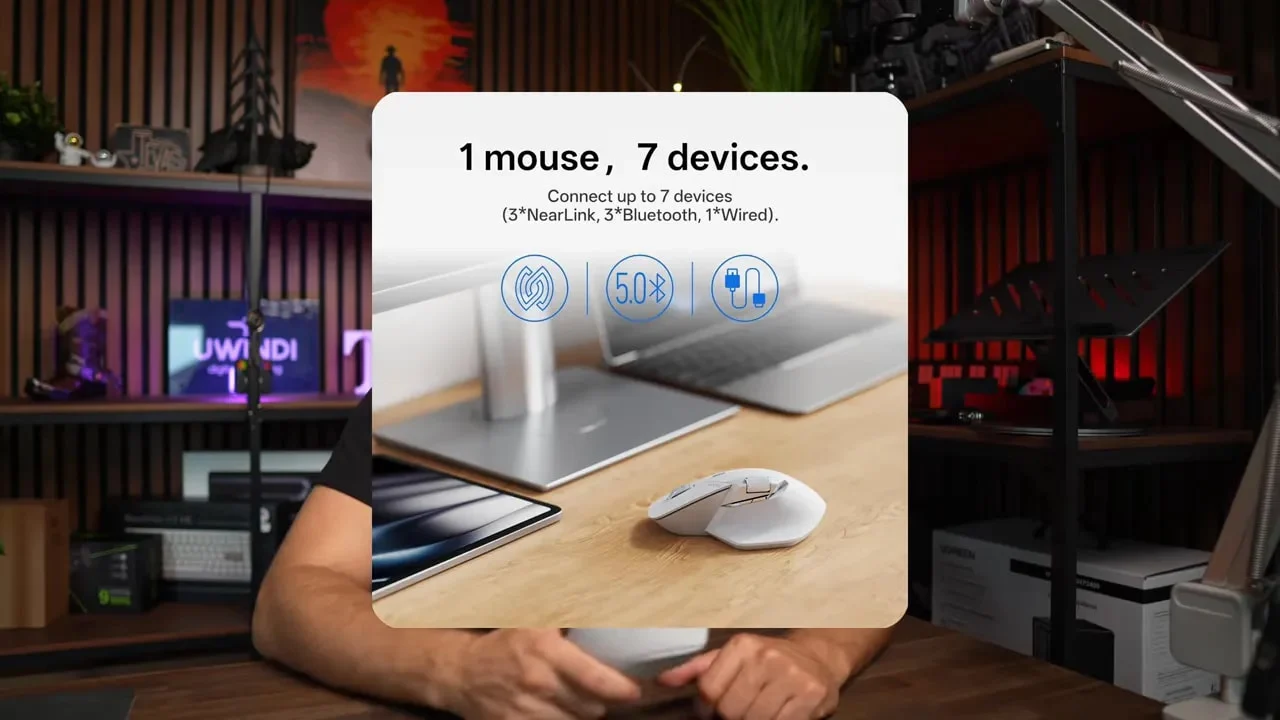
On pure connectivity hardware, I came away impressed. The mouse seems designed for people who move between machines often, and that part of the concept is solid.
The Software Is the Real Weak Point
Now for the bad news, because this is where the recommendation gets complicated.
The Rapoo companion software, called A-Hub, is the biggest problem with the entire product. It has some genuinely strong ideas, but the execution is messy.
First, the good part. Button mapping is actually quite powerful. You can assign keys, shortcuts, and macros to buttons, and those settings can be stored in the mouse’s onboard memory. There is also account-based syncing so you can carry your configuration between machines. That is all useful.
Unfortunately, the bugs and rough edges are hard to ignore.
1. Bluetooth configuration did not work properly
Even with the latest software downloaded from Rapoo’s site, the app still did not properly recognize the mouse over Bluetooth on my setup. Rapoo had previously said this issue was fixed, but in my experience it was still there.
That creates immediate frustration because a feature-rich mouse depends on stable software access. If the app cannot reliably communicate with the hardware, all those programmable extras become less valuable.
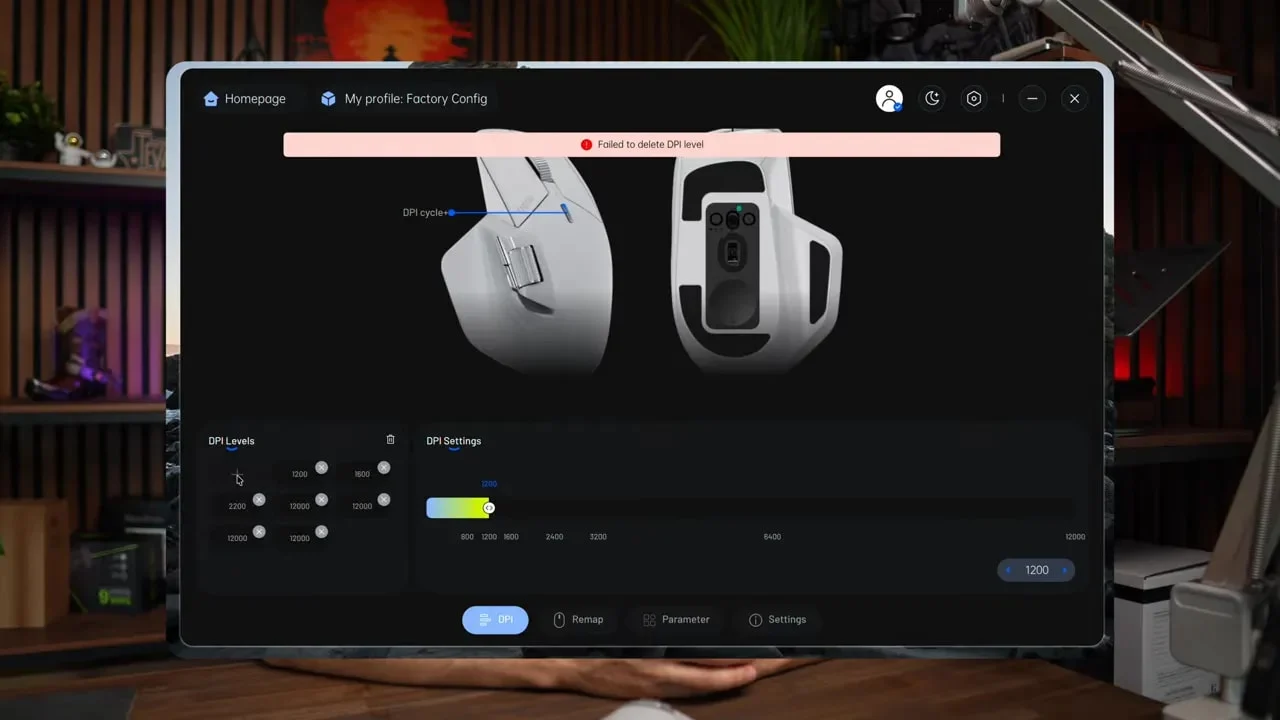
2. DPI settings were buggy
This was the most serious issue I ran into.
When I tried to lower the DPI presets, the changes did not stick. The cursor still behaved like the mouse was set absurdly high, and the software kept showing the maximum value repeatedly. Saving, restarting, and switching presets did not solve it.
For a productivity mouse, that is not a tiny annoyance. Pointer speed affects every single interaction. If DPI control is unreliable, the mouse can feel wrong all the time.
3. Per-app profiles were missing or unclear
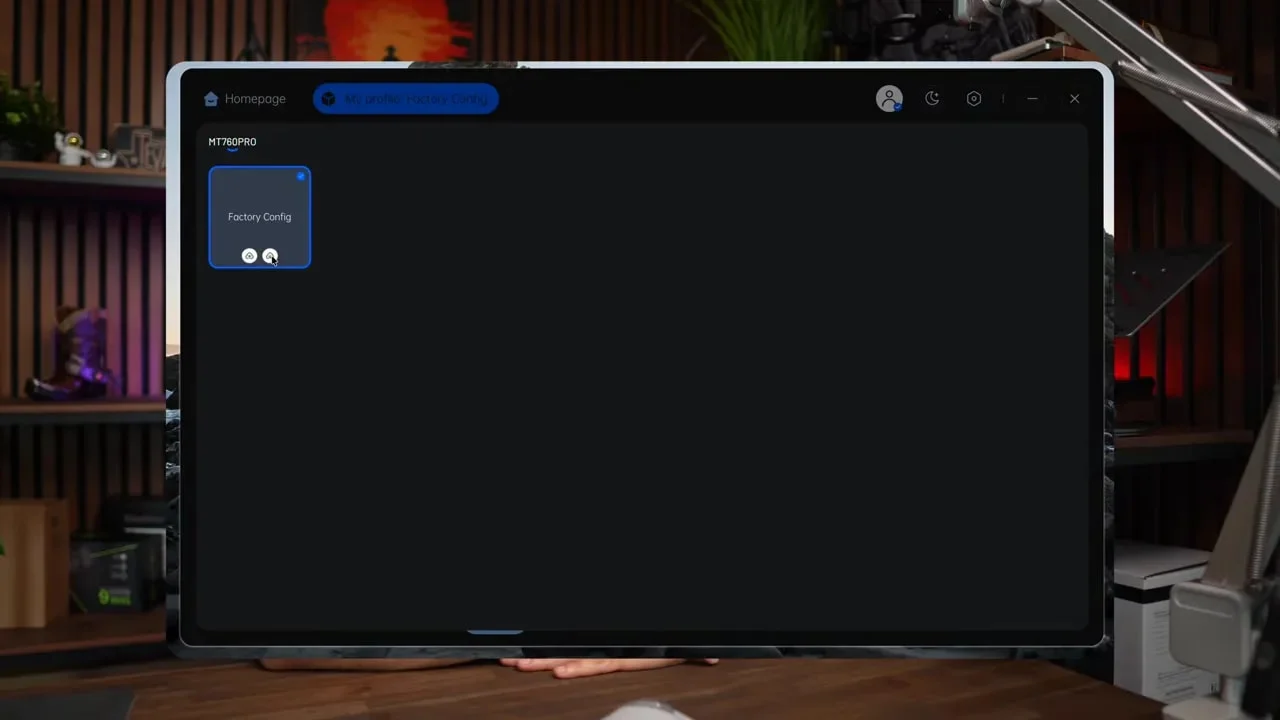
One of Logitech’s strengths is mature software with app-specific customization. On the Rapoo side, I could not get an equivalent workflow working properly. Maybe it exists in some form, maybe it is limited, or maybe it is just buried behind unclear UI, but the result is the same: it does not feel polished.
4. Account setup was confusing
Even basic account creation and password recovery felt more difficult than they should be. That may sound secondary, but if syncing settings is part of the value proposition, the account system needs to be simple and stable.
Right now, the software experience feels underdeveloped compared to the hardware ambition.
Where the Logitech MX Master 3S Still Wins
The spec sheet favors Rapoo. The real-world polish still favors Logitech.
If I compare the two as complete products rather than bullet points, the MX Master 3S still has several clear advantages:
- Better materials and more premium feel
- A superior main scroll wheel with free-spin mode
- More refined side wheel placement and usability
- More mature software
- Better established long-term reliability
That last point matters. With the MX Master line, you are also paying for a product family that has already proven itself over time. With the Rapoo MT760 Pro, long-term durability is still a question mark.
That does not make the Rapoo a bad buy. It just means it is not a total MX Master killer, no matter how attractive the comparison looks at first.
Who Should Buy the Rapoo MT760 Pro?
I think the Rapoo MT760 Pro makes sense for a pretty specific type of buyer.
Buy it if:
- You want an MX Master-style shape for a much lower price
- You care about silent clicks
- You want lots of programmable buttons
- You like the idea of lighter weight
- You need broad multi-device connectivity
- You are willing to tolerate software issues for better hardware value
Skip it if:
- You expect polished software from day one
- You rely heavily on DPI tuning and profile management
- You want a truly premium materials feel
- You specifically want Logitech’s free-spin wheel behavior
- You would rather pay more to avoid troubleshooting
If your workflow also includes a productivity keyboard, my Keychron K2 HE review is a useful companion read for building out a solid desk setup.
My Final Take on the Rapoo MT760 Pro
The Rapoo MT760 Pro is better than I expected and also more frustrating than I hoped.
That is the honest summary.
For around $55, the hardware package is genuinely impressive. The shape is comfortable, the clicks are quiet, the button count is strong, the multi-device support is excellent, and the overall feature list feels almost absurd for the money. It is one of those products that makes you stop and ask why the established premium option costs so much more.
Then the software steps in and answers that question.
Because this is not just about having features. It is about whether those features work reliably, feel intuitive, and disappear into the background once you start using the mouse every day. Logitech still does that part much better.
If Rapoo improves the software, fixes the Bluetooth detection issue, and resolves the DPI bug, the Rapoo MT760 Pro could become one of the easiest budget productivity mouse recommendations out there. The foundation is already here. I actually like what Rapoo is trying to do.
For now, though, I would describe it as a promising competitor rather than a complete replacement for the MX Master 3S.
If I could redesign the product, I would keep nearly everything Rapoo already offers and improve two things: software polish and overall build quality. Even a more refined shell with better materials would make a huge difference. A metal body would probably be unrealistic at this price, but a more premium finish would help justify the ambitious feature set.
Until then, the Rapoo MT760 Pro sits in an interesting middle ground. It is not the best productivity mouse in this category, but it might be the most intriguing budget alternative if you care more about hardware value than software refinement.
That makes it worth considering, but not blindly buying.
Related reviews: Keychron K2 HE review and TourBox Lite review.
Rapoo MT760 Pro