Well built, thoughtfully designed and easy to recommend as hardware. A smart upgrade for Lightroom, Premiere, Resolve and Photoshop users, but not for everybody.
- Excellent build quality for the price
- Stable Bluetooth connection
- Satisfying dials with smooth resistance
- Strong customization in TourBox Console
- Great fit for Adobe workflows and digital art
- Community presets can be unreliable
- Setup takes time for apps without official support
- Keyboard-heavy tools may still be faster without it
- Less value if you already own a programmable mouse
| Connection | Bluetooth |
|---|---|
| Software | TourBox Console |
| Best for | Lightroom, Premiere, Resolve, Photoshop |
| Price | About $99 |
Alright, so let’s talk about the tourbox lite. Because this is one of those gadgets that looks like it should completely change your workflow. You see the dials, the buttons, the compact little control surface vibe, and you immediately think: yep, this is gonna make editing faster, smoother, maybe even more fun.
And honestly? For some people, that’s exactly what happens.
TourBox Devices on Amazon:
But for everyone else, the tourbox lite can end up being one of those products you really want to love, spend a week trying to adapt to, and then quietly drift back to your keyboard and mouse.
That doesn’t make it bad. Not even close. It just means the tourbox lite is a very specific kind of tool. Once you stop thinking of it as a universal productivity upgrade and start thinking of it as a workflow-specific controller, it makes way more sense.
So if you’re wondering whether the tourbox lite is worth it, this is the real answer: it depends a lot more on what apps you use every day than on the hardware itself. Because the hardware is actually very good. The question is whether it solves the right problem for you.
First Impressions: The TourBox Lite Doesn’t Feel Cheap
Let’s start with the part that’s easy to like. The tourbox lite makes a strong first impression.
Price-wise, it sits at the lower end of the TourBox lineup. The Lite Bluetooth model is around $99, while the fancier versions climb past $200, and the Pro version lands closer to $300. So technically, this is the entry point.
But here’s the nice surprise: it doesn’t really feel like an entry-level product.
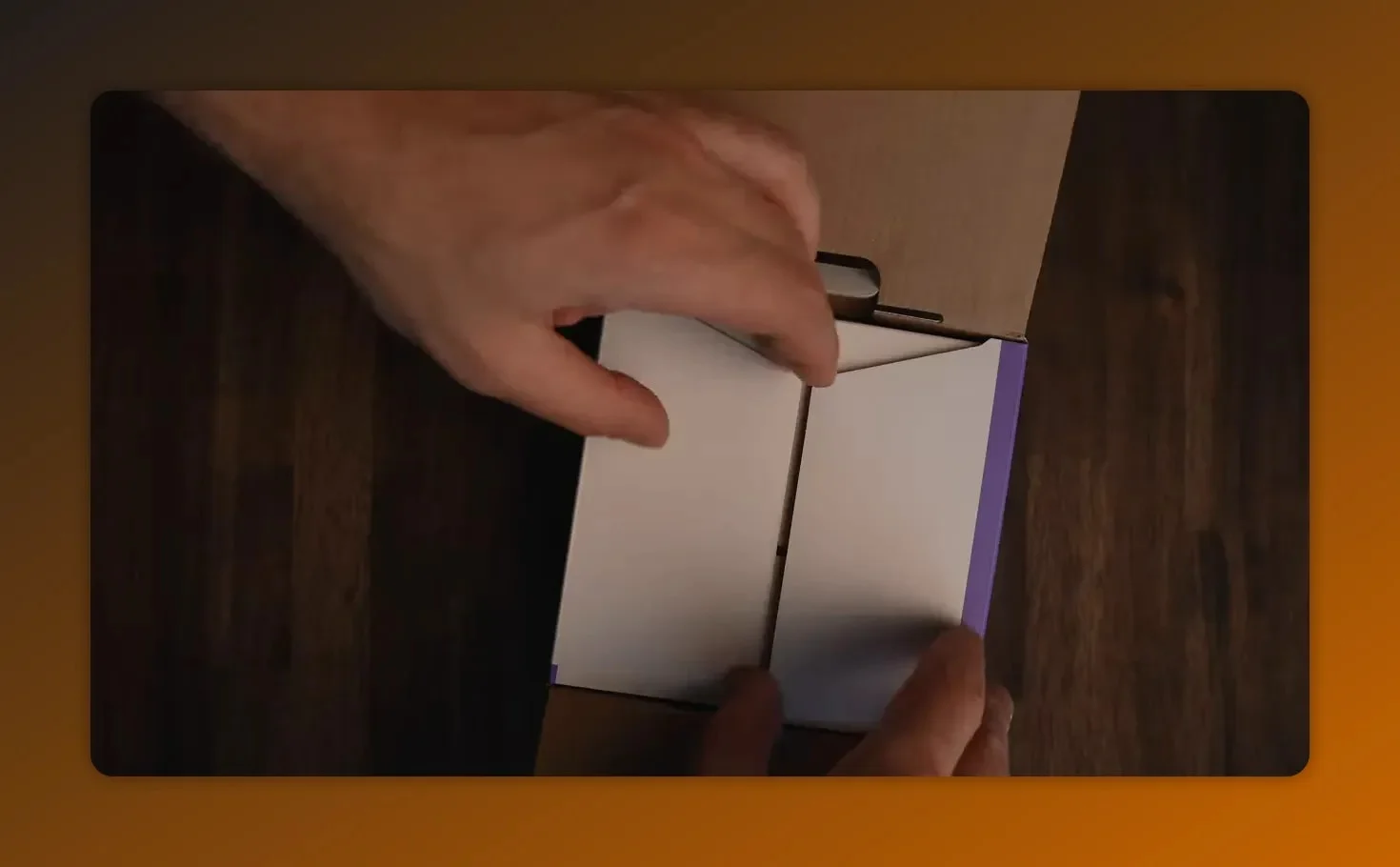
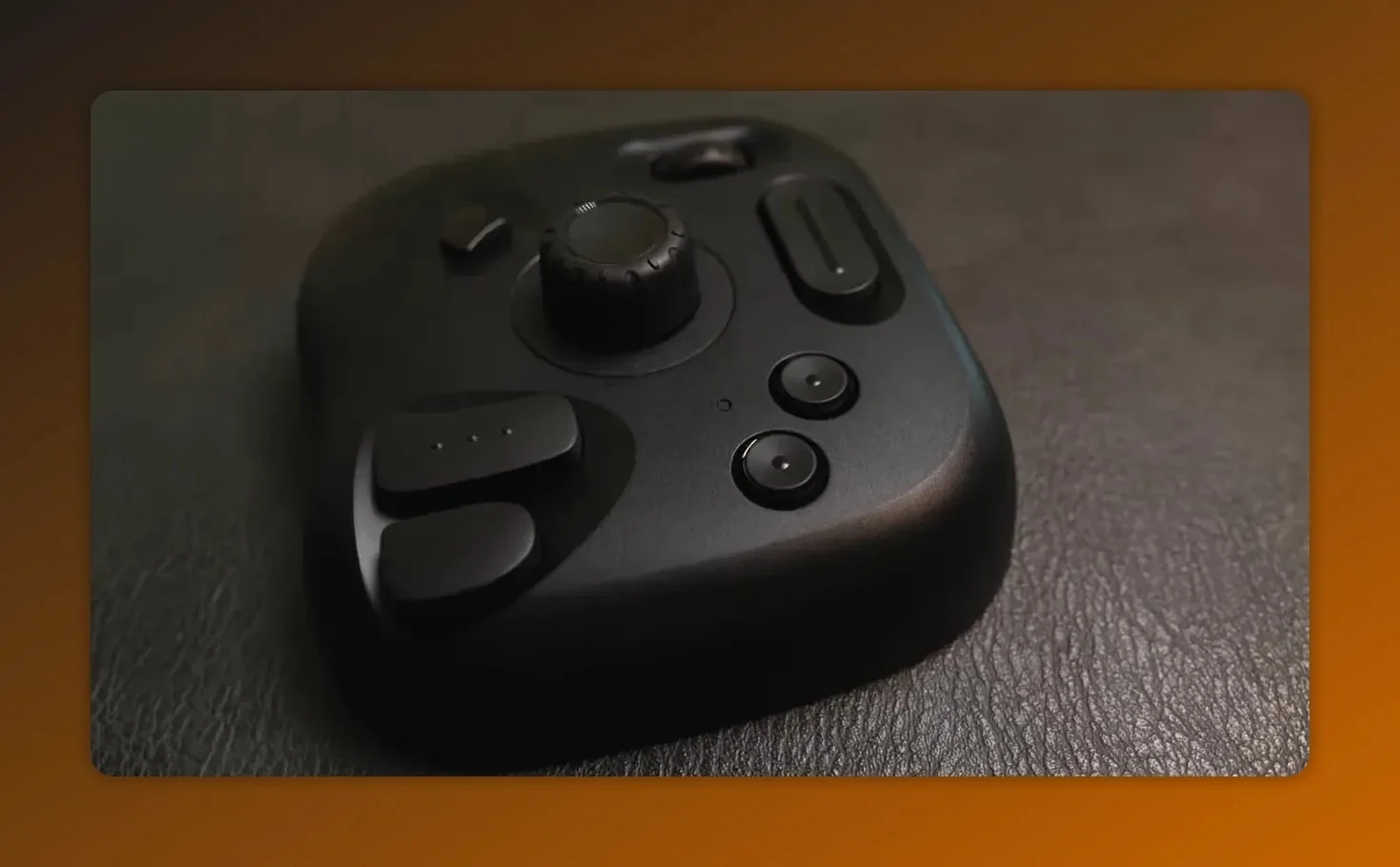
The packaging is minimal. You get the device, a USB-C cable, and the basics. Nothing flashy. But once you pick it up, you immediately notice that the build quality is solid. It’s plastic, sure, but not in a cheap, toy-like way. The buttons feel tactile, the body feels sturdy, and the whole thing has that reassuring little bit of heft that makes a device feel intentional.
And really, the main attraction here is the control layout. The two dials are the standout feature. One is especially useful for zoom and the other for timeline scrolling. They’ve got smooth movement, satisfying resistance, and that tactile feel you want from something designed to replace repetitive keyboard-and-mouse actions.
Hardware-wise, there’s not much to complain about. Bluetooth pairing is fast, there’s no noticeable lag, and battery life holds up well. So if you’re evaluating the tourbox lite based purely on build and responsiveness, it starts off strong.
Software and Setup: Flexible, But Not Friction-Free
Now we get to the part that matters just as much as the hardware: the software.
The TourBox app is called TourBox Console, and on the surface, it does exactly what you’d hope. The interface is clean, and you can map almost any button or dial to almost any action in almost any app. That’s a big deal, because a controller like this only becomes useful when it can fit around your workflow instead of forcing you into a rigid preset.
Official support is solid for the obvious creative apps. There are presets for things like:
- Lightroom
- Premiere Pro
- Photoshop
- After Effects
If your workflow lives inside those kinds of programs, the tourbox lite already has a head start.
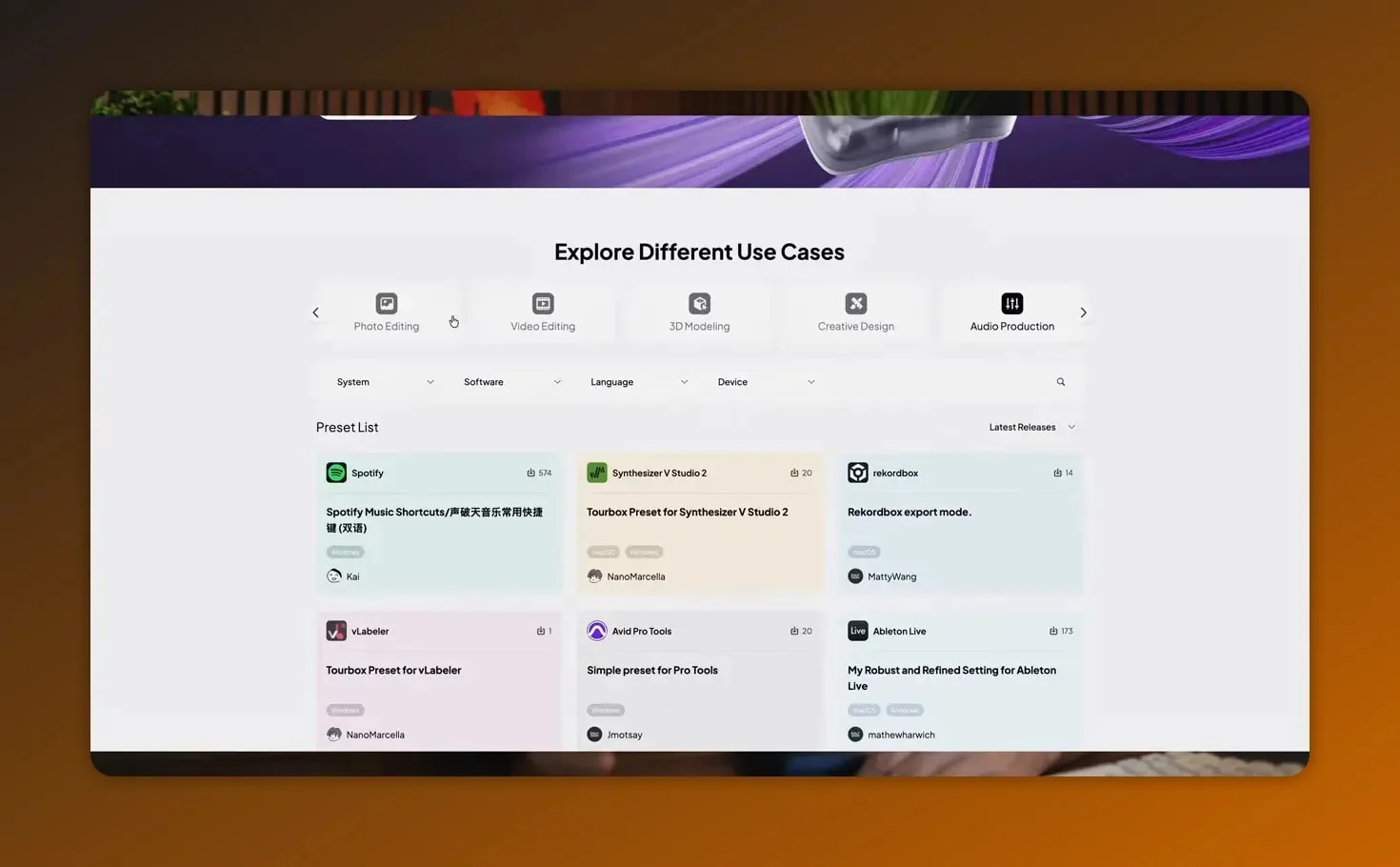
But once you move outside the officially supported sweet spot, the experience gets a little messier.
That became especially obvious in apps like Figma, Studio One, and CapCut. In those cases, finding a ready-made setup meant digging through community presets. And that sounds great in theory, but in practice it’s hit-or-miss. A lot of the available third-party presets were in Chinese, some didn’t work at all, and others only worked partially because the key mappings didn’t line up with the actual setup being used.
So yeah, you can customize the tourbox lite for almost anything. That part is true. But there’s a difference between “possible” and “convenient.”
For many people, especially if they use less common apps, building profiles from scratch is going to be part of the experience. That’s not a total deal breaker, but it’s real setup time you need to budget for. This is not one of those devices you just pair and instantly master in an hour.
What Using the TourBox Lite Actually Feels Like
This is where things get interesting, because the tourbox lite isn’t one of those products that fails because it’s poorly made. It succeeds in a lot of ways. The issue is that success doesn’t always translate into a meaningful speed boost.
In CapCut, the first few days felt genuinely promising. Mapping the dial to timeline scrolling made sense. Assigning buttons for cutting and exporting felt nice. There’s definitely a honeymoon phase where you feel like you’re building a more custom, more efficient editing setup.
But after a week, something happened: the keyboard kept winning.
And that’s really the core insight here. In some software, especially keyboard-heavy tools, many actions are still just faster with traditional hotkeys. The tourbox lite may feel cool and different, but that doesn’t automatically mean it’s faster once real work starts piling up.
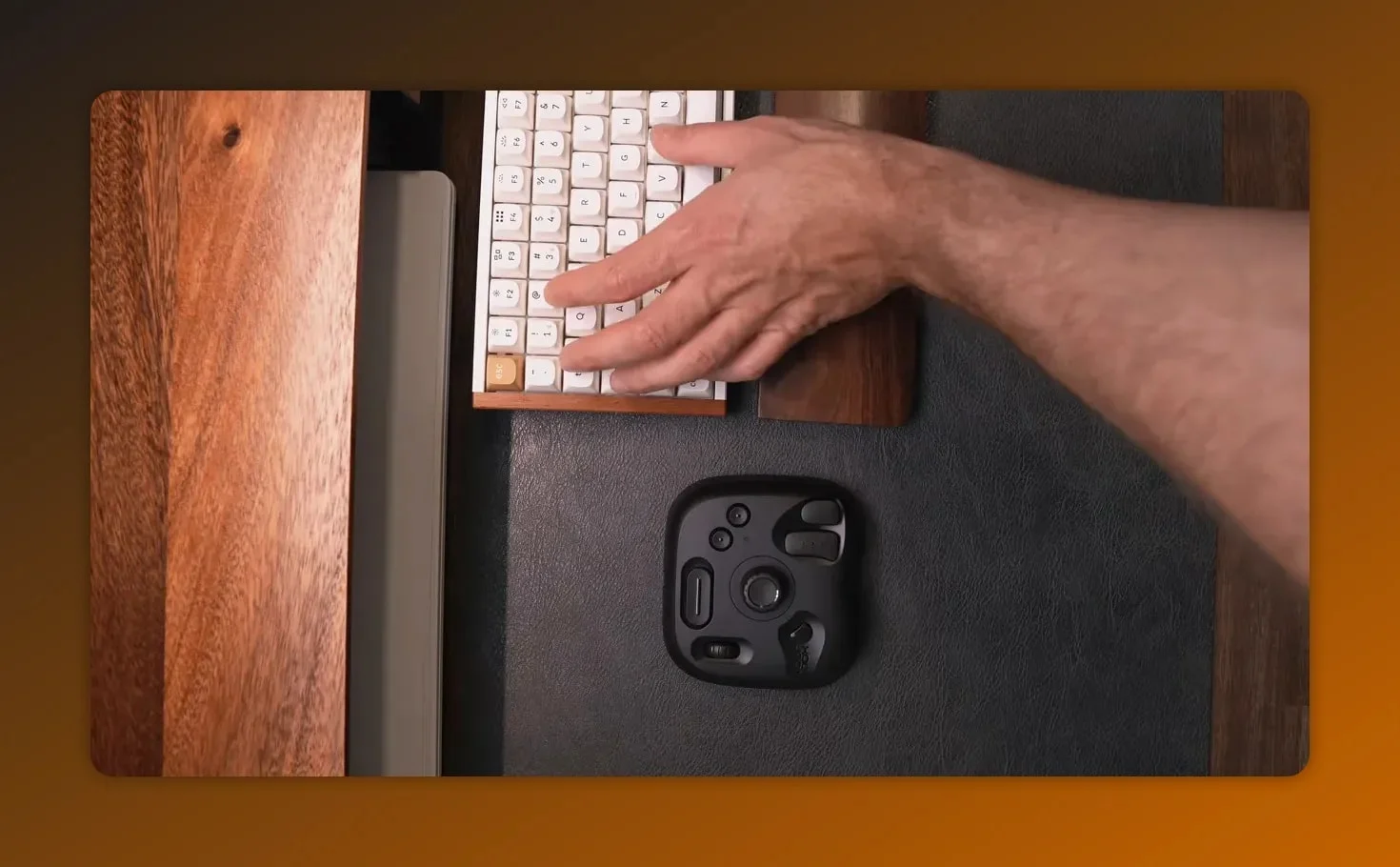
Figma told a similar story. The controller helped with things like zooming and scrolling, which is nice. But those weren’t the bottlenecks. They weren’t the actions actually slowing the work down. Figma is built around keyboard shortcuts and mouse precision. So while the tourbox lite could technically support the workflow, it wasn’t solving the most important problem.
And that’s a huge distinction. A good accessory doesn’t just need to work. It needs to reduce friction in the exact places where friction matters.
The Mouse Problem: Why TourBox Lite May Overlap With What You Already Own
One of the most useful comparisons here wasn’t between the tourbox lite and another editing console. It was between the tourbox lite and a good programmable mouse.
In this case, mapping the same kinds of actions onto a Logitech G502X using Logitech G Hub made the difference almost disappear. Once the side buttons and extra controls were configured, a lot of what the TourBox was doing could already be handled by the mouse.
That’s a pretty big reality check.
If you already use a mouse with:
- programmable side buttons
- a horizontal scroll wheel
- software-based remapping
…then you may already have 70% of the practical benefit the tourbox lite is offering.
That doesn’t make the TourBox pointless. The dials are better. The dedicated layout is more tactile. And for some workflows, that physical separation from the keyboard is absolutely worth paying for. But it does shrink the value proposition if your current mouse is already handling a big chunk of the same job.
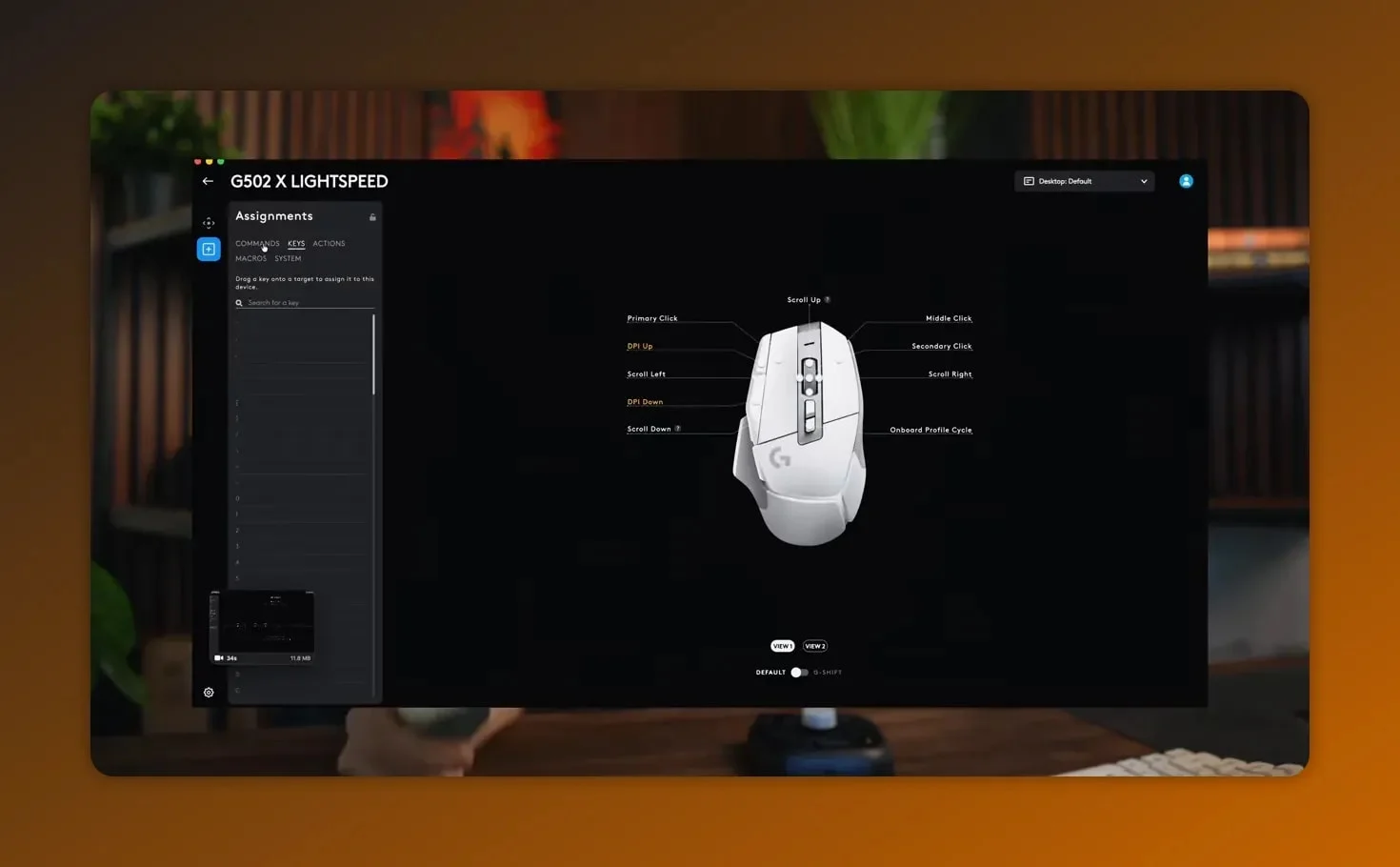
This is probably the most important buying filter for the tourbox lite. Not “Do I like cool desk gadgets?” Not “Do I want a more creative setup?” But rather: Do I already own a mouse that solves most of this?
Where the TourBox Lite Really Shines
So far this might sound a little harsh, but here’s the thing: the tourbox lite does have clear strengths. You just need to put it in the right context.
Where it seems to shine most is in Adobe-style workflows and digital art environments where repetitive, dial-friendly actions are a big part of the job. That includes things like:
- zooming in and out constantly
- scrubbing through timelines
- adjusting values incrementally
- triggering repeat actions with muscle memory
- working in apps where custom controller input genuinely complements the software design
That’s why photographers in Lightroom, editors in Premiere Pro or Resolve, and digital artists in Photoshop are the clearest fit for the tourbox lite.
In those environments, the controller isn’t fighting the workflow. It’s reinforcing it.
There’s a reason hardware like this tends to make more sense in creative software built around panels, sliders, timeline movement, brush adjustments, and repeated control inputs. The more your work involves physically manipulating values and navigating large visual projects, the more the dials and buttons start to feel like actual tools instead of accessories.
Where the TourBox Lite Makes Less Sense
On the flip side, there are some pretty clear cases where the tourbox lite probably isn’t the smartest buy.
If you jump between a bunch of different apps all day, the setup overhead becomes harder to justify. You’re not just learning one profile. You’re managing multiple profiles, tweaking mappings, and mentally switching between control schemes. For some people that’s fun. For others, it’s just another layer of complexity.
It also makes less sense if your main work happens in tools like Figma, where the keyboard and mouse are already the dominant control method. Yes, the tourbox lite can help in small ways, but small help isn’t the same as transformational help.
And again, if you already have a decent programmable mouse, you really need to be honest with yourself about whether you’re buying a productivity tool or a second version of something you already own.
That’s the thing with gear like this. Sometimes the value isn’t about raw capability. It’s about whether the device fits naturally enough into your routine that you keep using it.
Pros and Cons of the TourBox Lite
If you want the quick version, here it is.
What’s good
- Excellent build quality for the price
- Stable Bluetooth connection
- Satisfying dials with smooth resistance
- Strong customization options in TourBox Console
- Great fit for Adobe workflows and digital art use cases
- Doesn’t feel like a “budget” product even though it’s the cheaper model
What’s not so good
- Community presets can be unreliable
- Many third-party profiles are difficult to use or not well localized
- Setup can take real time if your apps aren’t officially covered
- Keyboard-heavy tools may still be faster without it
- The value drops quickly if you already own a programmable mouse
Who Should Buy the TourBox Lite?
If you want the most honest buying advice possible, it’s this:
Buy the tourbox lite if:
- You’re a photographer working in Lightroom
- You edit video in Premiere Pro or Resolve
- You do digital art in Photoshop
- You want tactile dial control for repetitive creative tasks
- You don’t mind spending time setting up profiles to match your workflow
For those people, the tourbox lite can be a legitimate upgrade. Not a gimmick. Not just desk candy. An actual improvement.
Skip the tourbox lite if:
- You mostly work in Figma or similar keyboard-first tools
- You bounce between lots of unrelated apps all day
- You already have a good programmable mouse with extra buttons
- You want something plug-and-play with no setup time
In those cases, spending around $100 on the tourbox lite may feel redundant. You could end up paying for a dedicated controller that mostly duplicates what your existing mouse and keyboard already do.
Is the TourBox Lite Worth $99?
This is really the final question, right?
At around $99, the tourbox lite is priced low enough to be tempting, especially compared to the more expensive TourBox models. It’s not outrageously expensive. It looks premium. It works reliably. And if you’re in the right kind of workflow, it can absolutely earn its place on your desk.
But if you’re expecting a universal productivity breakthrough, that’s probably the wrong expectation. The tourbox lite is not a magic device that makes every app better. It’s a niche tool with broad customization. There’s a difference.
That’s why the answer is both simple and annoyingly specific:
Yes, the tourbox lite is worth it for the right person.
That person is probably a creative professional or hobbyist working in software that benefits from dials, repeated custom inputs, and tactile control. If that sounds like you, this thing makes a lot of sense.
No, the tourbox lite is not worth it if your workflow is already fast with a keyboard and a programmable mouse.
And honestly, that’s not a criticism. That’s useful clarity. Sometimes the best product reviews aren’t the ones that say “buy this” or “skip this.” They’re the ones that tell you exactly where the product fits.
Final Verdict
The tourbox lite is well built, thoughtfully designed, and clearly capable. The dials are great. The Bluetooth performance is stable. The software is flexible. On a hardware level, it’s easy to recommend.
What’s harder to recommend is the idea that everyone needs one.
If you’re deep in Lightroom, Premiere, Resolve, or Photoshop, the tourbox lite feels like a smart, focused upgrade. If your work depends on keyboard speed, app-hopping, or a mouse that’s already heavily customized, the benefits get a lot murkier.
So yeah, that’s the real takeaway. The tourbox lite is not bad at all. In fact, it’s pretty great. It’s just not for everybody.
And weirdly, that’s what makes it easier to judge. Once you know who it’s for, the buying decision becomes a whole lot simpler.
Related reviews: Rapoo MT760 Pro review and Elgato Prompter review.
TourBox Lite