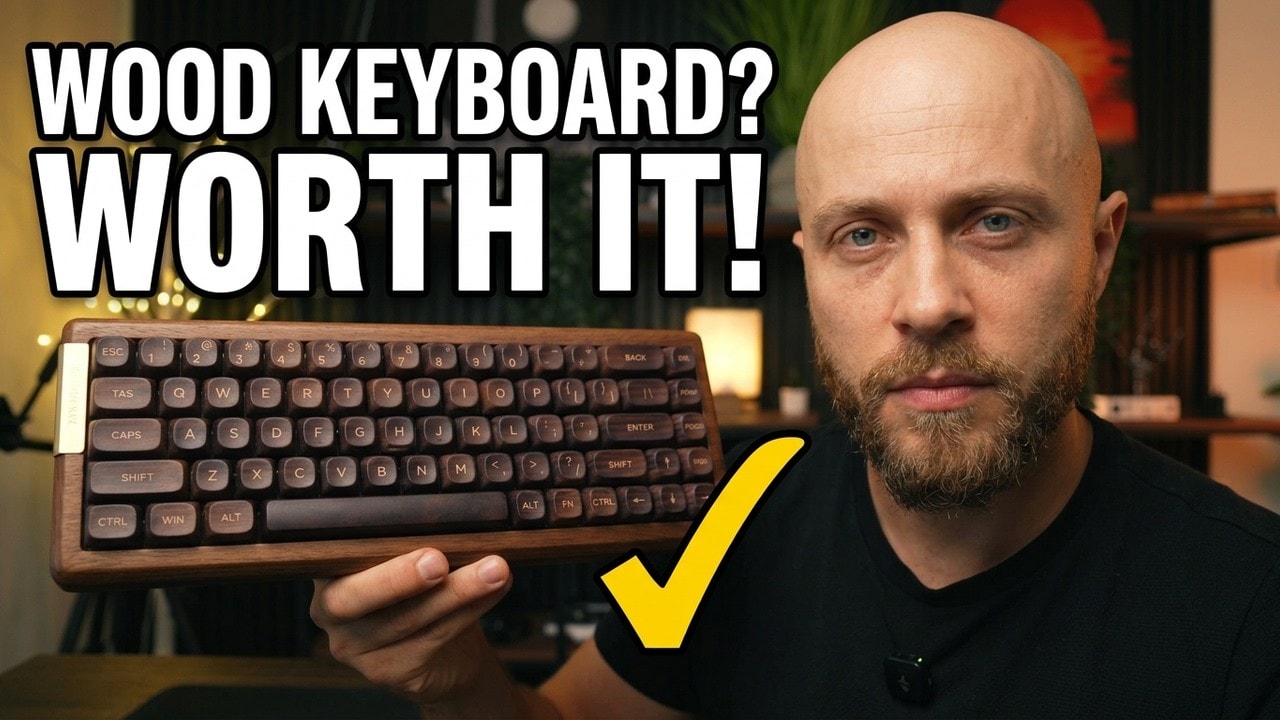
Not the most practical keyboard, but one of the most characterful: real walnut and great-feeling keycaps for around $120.
- Real walnut case that looks and feels premium
- Comfortable rounded PBT MOA keycaps
- Good stabilizers and a deeper sound
- USB-C, Bluetooth and 2.4 GHz
- VIA remapping and layers
- No adjustable feet
- Power switch hidden under Caps Lock
- Wireless Mac remapping is complicated
- No function row
- Windows-only legends
The XVX MU68 is the first keyboard I have reviewed that has a smell, and somehow that is a compliment. The moment I took it out of the box, the real walnut case smelled like a furniture store. It sounds ridiculous to include scent in a keyboard review, but it tells you everything about what this board is trying to be.
This is not another plastic gaming keyboard covered in aggressive angles and RGB. The MU68 is a compact 65% mechanical keyboard with 68 keys, solid walnut construction, a small anodized-metal accent, and a little Sakura charm hanging from the side. At roughly $120, it is clearly a keyboard built around character first, then specs.
Quick Summary
- The XVX MU68 delivers a rare real-walnut design that feels genuinely premium on a desk.
- Its rounded PBT keycaps, good stabilizers, and deeper sound make typing surprisingly enjoyable.
- No adjustable feet and a fiddly wireless Mac setup limit its practical appeal.
- I recommend it for design-focused setups, not for people who need maximum productivity convenience.
Table of Contents
- A Keyboard That Looks More Like Furniture Than a Peripheral
- XVX MU68 Specifications and Connectivity
- Typing Feel: Better Than I Expected
- The 65% Layout Is Not for Everyone
- VIA Software and Mac Compatibility Need Work
- What I Like and Dislike About the XVX MU68
- Who Should Buy the XVX MU68?
- Final Verdict: Not the Most Practical, but One of the Most Characterful
A Keyboard That Looks More Like Furniture Than a Peripheral
I think the walnut case is where most of the money went, and I am completely fine with that. The wood grain, soft rounded edges, and restrained metal detail give the XVX MU68 a Japanese furniture-inspired look. It has personality without trying too hard.
There are almost no sharp corners and no random switches sticking out of the side. Even the Sakura charm feels a little unnecessary, but I absolutely want it to stay. It is the sort of small detail that should be silly but instead fits the theme perfectly.
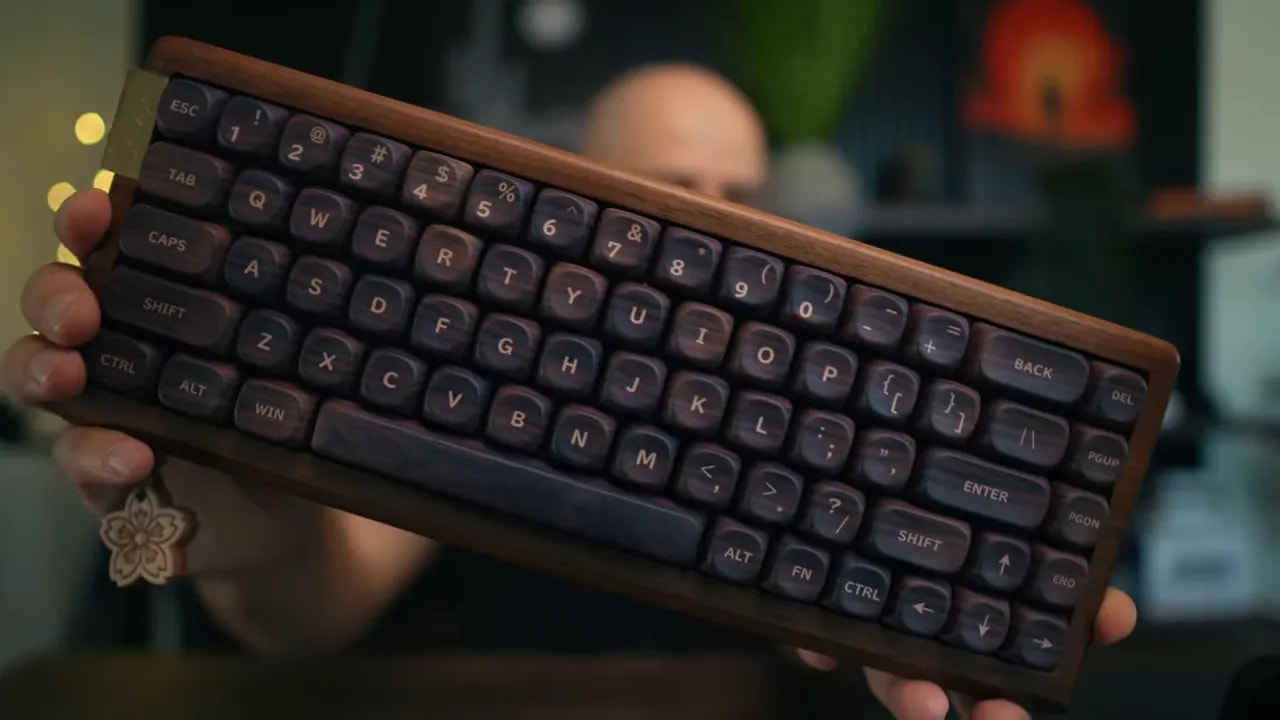
The lighter Fuji artwork version especially works well because the wood-inspired design becomes much more visible. The dark version I tested is still attractive, but it is more subdued and more likely to blend into a dark desk setup.
Build Quality and Desk Stability
Underneath, the MU68 has large rubber pads that hold it extremely well. It does not slide around while typing, which matters because the wood case has a substantial, solid feel. The bottom is wood too, not a plastic shell trying to imitate a premium finish.
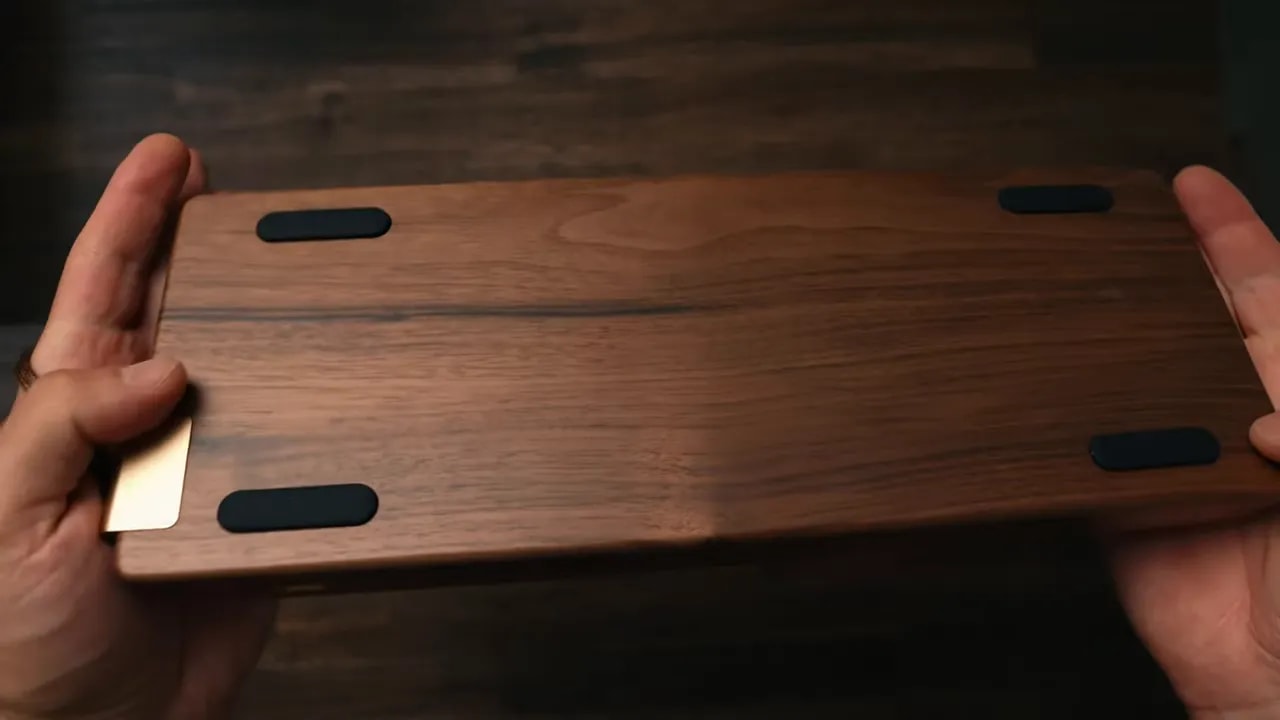
That said, there is one design decision I do not like: there are no adjustable feet. You get one fixed typing angle. Since the keyboard is relatively tall, I found a wrist rest more comfortable for longer sessions. A wrist rest solves much of the issue, but adjustable height would still be the better solution.
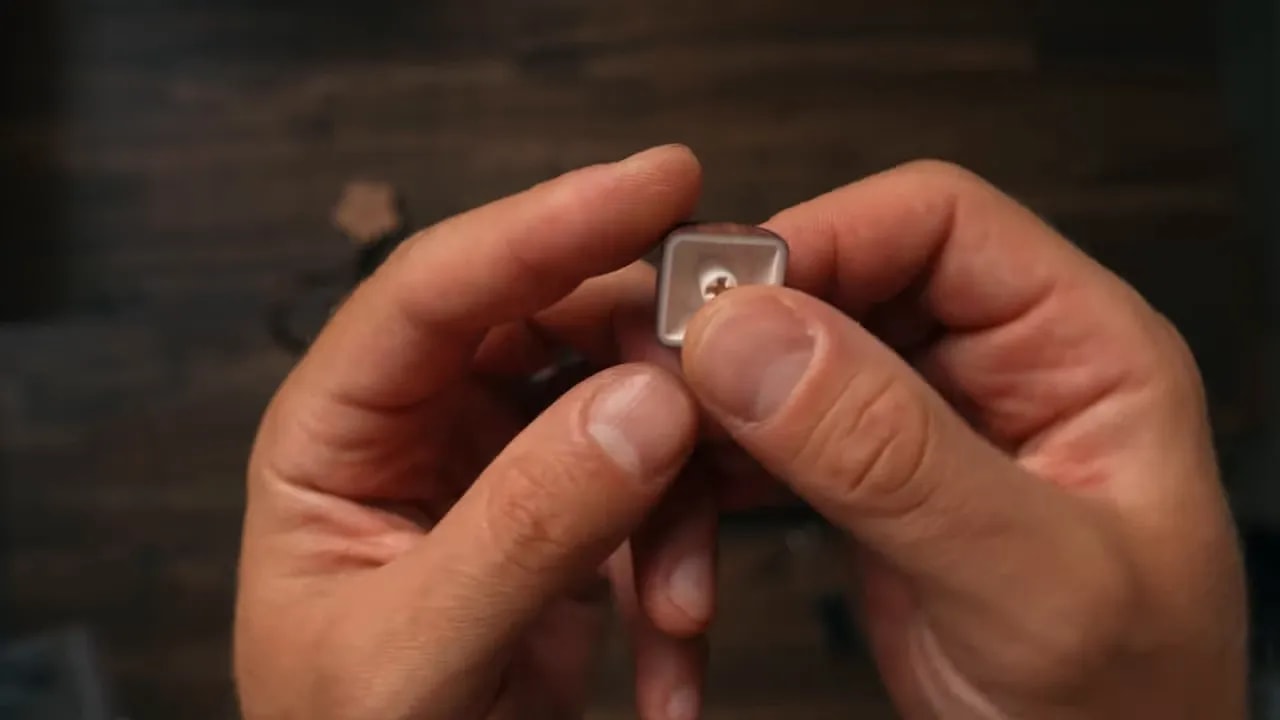
XVX took its minimalist approach a little too far with the power switch as well. It is hidden under the Caps Lock keycap. To turn wireless mode on or off, I have to remove a keycap. I understand the logic. XVX clearly did not want to cut another opening into the walnut case. I respect the commitment, but it is still weird in everyday use.
XVX MU68 Specifications and Connectivity
The MU68 is more capable than its furniture-like appearance suggests. It supports three connection methods:
- USB-C for wired use and configuration
- Bluetooth for cable-free connections
- 2.4 GHz wireless for a dedicated wireless connection
It also has a 4,000 mAh battery, which is reassuring for a wireless compact keyboard. The side metal plate, USB-C port, and hanging charm are subtle, but they make the board feel much more considered than a generic budget 65% option.
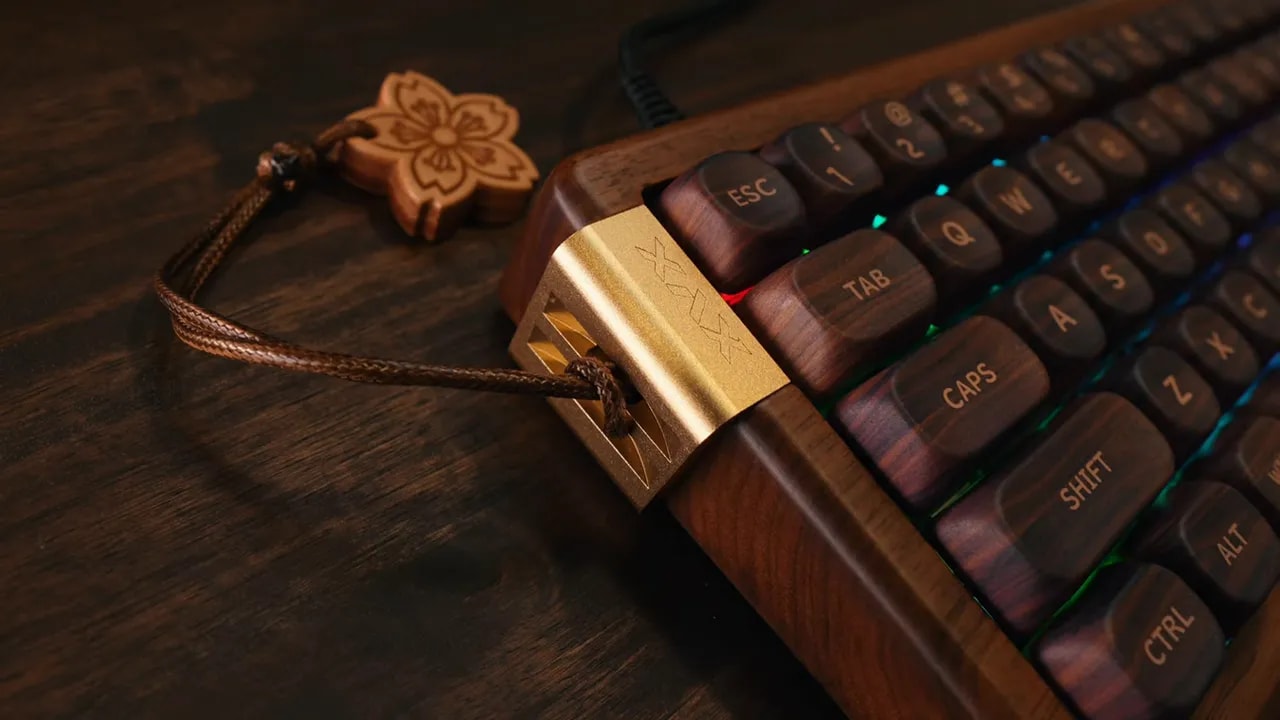
There is RGB underneath the keycaps, and I can change colors and effects. But these keycaps are not shine-through, so the lighting mainly glows around the keys and case rather than illuminating the legends. Personally, I do not think rainbow RGB improves a walnut keyboard. A subtle warm effect can look nice, but the wood deserves to be the main event.
Typing Feel: Better Than I Expected
The XVX MU68 uses 45 g XVX Coral Sea linear switches. They are pre-lubed, light enough for easy typing, and the board has a deeper, more solid sound than I expected at this price. It is still a mechanical keyboard, so it is not silent, but it avoids the cheap hollow plastic sound that ruins many otherwise decent boards.
The stabilizers are also surprisingly good out of the box. The larger keys do not feel loose or excessively rattly, which is always one of the first things I notice on a prebuilt mechanical keyboard.
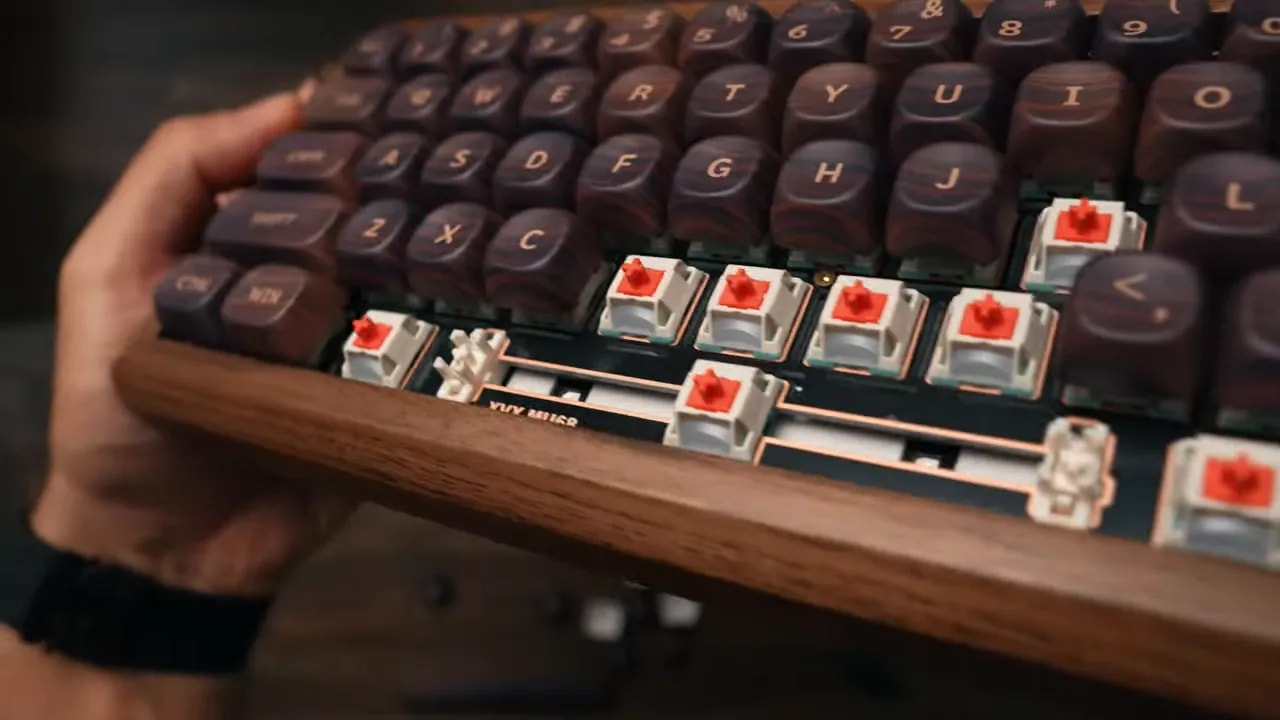
One point worth clearing up: the switch arrangement is shown with keycaps and switches removed, so this board is designed for switch changes despite conflicting early product messaging around hot-swapping. Still, I would confirm the exact version before buying if switch customization is your main priority.
The Keycaps Are a Highlight
I actually like these keycaps more than the ones on my Keychron. They are PBT with an MOA profile, meaning they are rounded and slightly concave. My fingers naturally settle into each key, and that shape makes the board very comfortable for typing.
The Fuji-inspired artwork is printed across multiple sides of the keycaps, which looks great from normal desk distance. If I inspect the large keys very closely, particularly the spacebar, I can see a slightly low-resolution printing pattern. That is me nitpicking. In normal use, the artwork looks good.
My honest verdict on typing is simple: the MU68 feels more expensive than it costs. The walnut enclosure likely helps give it that fuller sound profile, but the keycaps, switches, and stabilizers all contribute. This is not a keyboard that merely looks good in product photos. It is enjoyable to use.
The 65% Layout Is Not for Everyone
The 65% layout is compact and clean, but it is not my favorite format for productivity. There is no dedicated function row, so functions require layers and shortcuts. If I use F-keys regularly, that can become annoying quickly.
This is one of those situations where the best keyboard depends on the desk and workflow. If space is limited and I want a compact setup with arrow keys, a 65% layout is a sensible middle ground. If I need frequent access to media controls, function keys, spreadsheets, or shortcuts, a larger layout is simply more practical.
The MU68 also uses Windows-style legends on the physical keycaps. There is a Mac mode and I can remap keys, so it is not a serious functional problem. Still, dedicated Command and Option legends would have been a nice touch on a keyboard that otherwise cares so much about visual detail.
VIA Software and Mac Compatibility Need Work
The software experience is where the polished walnut exterior runs into reality. When I went to the XVX download page, I expected a normal app. Instead, I got a JSON file. The MU68 uses VIA, so I needed to load the matching JSON file, connect the keyboard by cable, and authorize it before I could customize anything.
Once configured, VIA is useful. I can remap keys, create layers, and customize keyboard functions. That flexibility matters a lot on a 65% board because layers are doing more work than they would on a full-size keyboard.
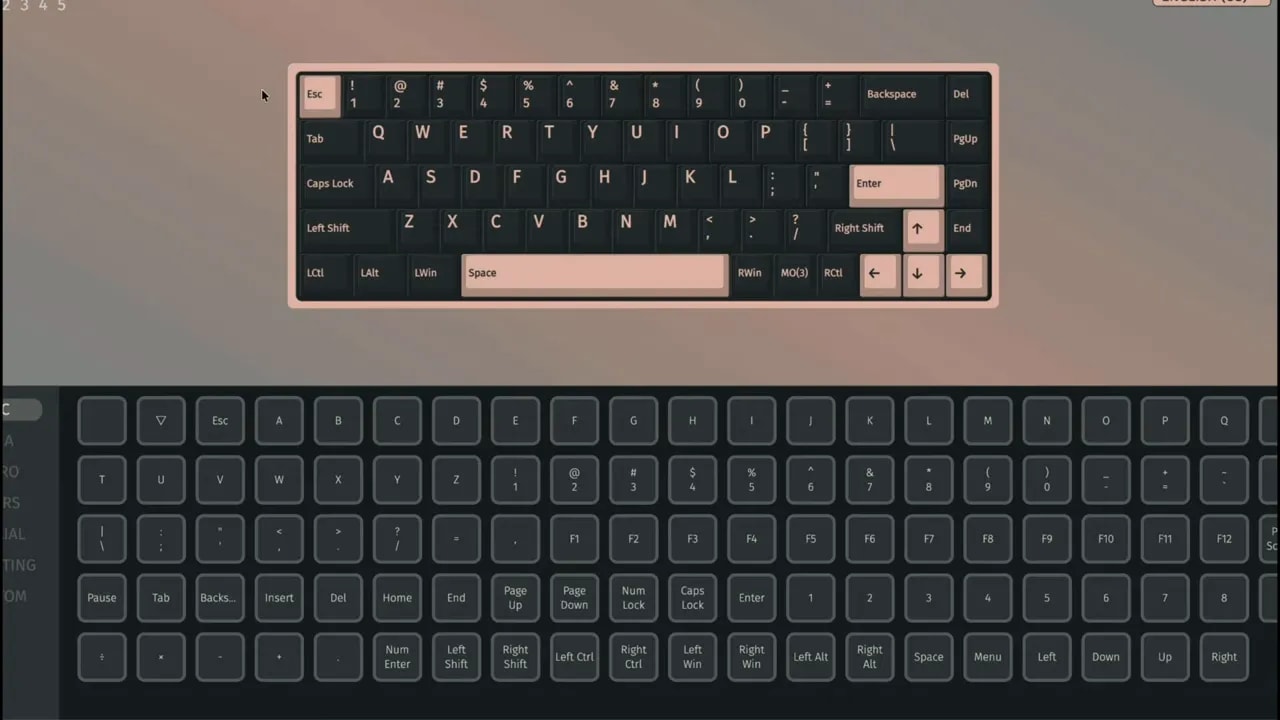
My Mac setup became a small quest. I had to find the correct JSON file, import it into VIA, and work through the layers. After configuring the Mac layer, I discovered it only worked over USB. When I switched to Bluetooth, the board reverted to its original Windows layout and ignored my VIA changes.
I eventually used Karabiner-Elements to create a separate Bluetooth remapping for macOS. It works now, but it is absolutely not plug-and-play.
XVX needs to explain this more clearly. If I use the MU68 wired, I have much less to complain about. If I want wireless Mac use with my preferred layout, I should be prepared to troubleshoot, use VIA, find the correct configuration file, and possibly install extra software.
What I Like and Dislike About the XVX MU68
What I Like
- Real walnut construction that looks and feels genuinely premium
- A unique, understated Japanese-inspired design
- Strong desk grip from the large rubber feet
- Comfortable rounded PBT MOA keycaps
- Good stock stabilizers and a deeper mechanical sound profile
- USB-C, Bluetooth, and 2.4 GHz connectivity
- Useful VIA remapping and layer support
- A compact keyboard that does not resemble every other Amazon mechanical board
What I Do Not Like
- No adjustable feet, despite the relatively tall case
- Power switch hidden under the Caps Lock keycap
- Wireless Mac remapping is unnecessarily complicated
- Windows-style legends on a board that supports Mac mode
- No dedicated function row
- Very close inspection reveals slightly imperfect artwork printing on larger keycaps
- RGB feels secondary and does not add much to this particular design
Who Should Buy the XVX MU68?
I recommend the XVX MU68 to someone who wants their keyboard to be part of their desk setup, not merely another peripheral sitting on it. It is for the person who likes real materials, warm wood tones, and compact keyboards with actual personality.
It is also a good option if typing feel matters as much as appearance. The keycaps, stabilizers, and sound are all better than I expected from a board focused so heavily on aesthetics.
I would not choose it as my first recommendation for pure productivity. If I need a dedicated function row, easy Mac support, adjustable ergonomics, and simple software, there are more practical options. The MU68 asks me to accept a few quirks in exchange for its design.
XVX MU68 vs Keychron K2 HE: I also reviewed the Keychron K2 HE at a similar price, around $110. It is a 75% board with magnetic switches, adjustable actuation and two tilt angles, while the MU68 is a 65% board in real walnut. Read the Keychron K2 HE review.
Final Verdict: Not the Most Practical, but One of the Most Characterful
Is the XVX MU68 the best mechanical keyboard? Not universally. It is not the most practical keyboard I have used. I still want adjustable feet, a smoother Mac experience, and a function row.
But at around $120, it feels much more expensive than it is. I get real walnut, metal details, excellent-feeling keycaps, satisfying switches, good stabilizers, wireless connectivity, and a design that refuses to look like every other mechanical keyboard online.
That is why I recommend it. Not because it is perfect, but because it has character. The XVX MU68 feels like something chosen for a desk rather than something added to a shopping cart because it was on sale. And yes, apparently the smell of real walnut is now part of my keyboard rating system.
|
XVX MU68 FAQ
Is the XVX MU68 a hot-swappable keyboard?
The keyboard is shown with switches removed, indicating switch replacement support, but I would verify the exact listing version before buying specifically for switch customization.
Does the XVX MU68 work with Mac?
Yes, it has a Mac mode and supports remapping through VIA. However, I found wireless Bluetooth Mac remapping required extra setup and Karabiner-Elements.
Does the XVX MU68 have adjustable feet?
No. The keyboard has a fixed typing angle, so I would consider using a wrist rest for longer typing sessions.
Is the XVX MU68 good for typing?
Yes. Its rounded PBT MOA keycaps, 45 g linear switches, solid stabilizers, and deeper sound profile make it comfortable and satisfying for regular typing.
Related reviews: Keychron K2 HE review and Rapoo MT760 Pro review.