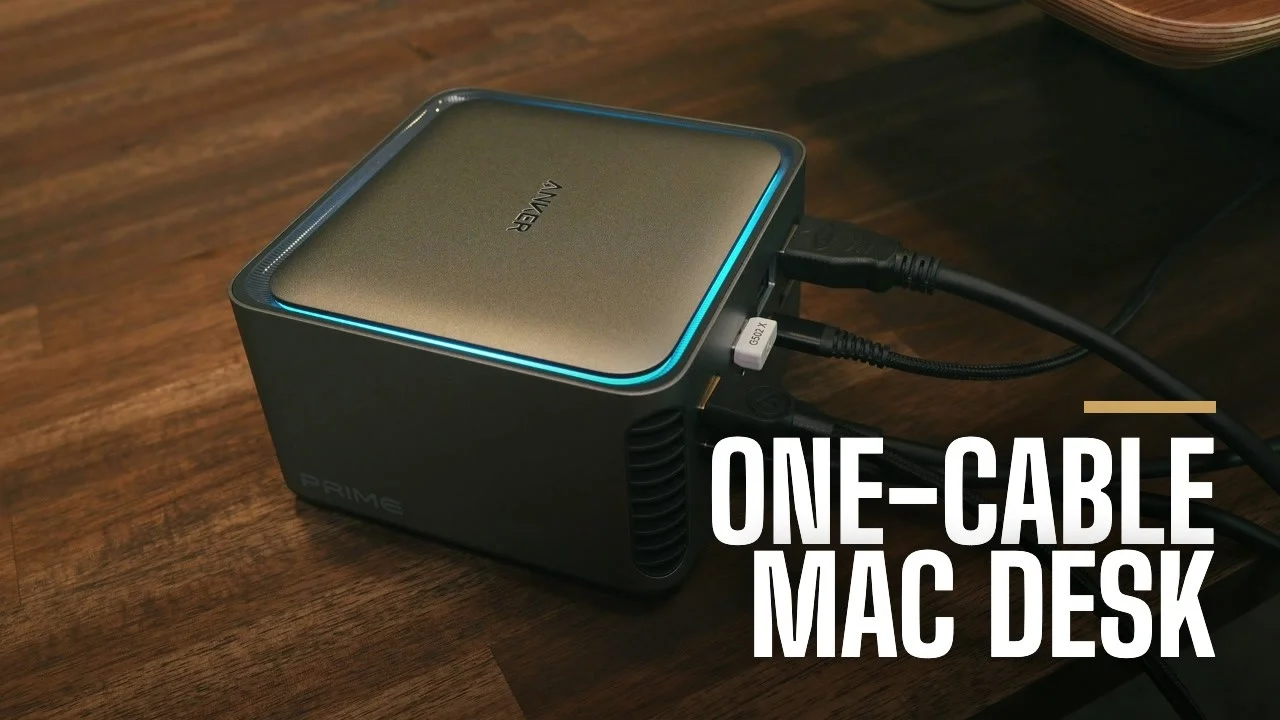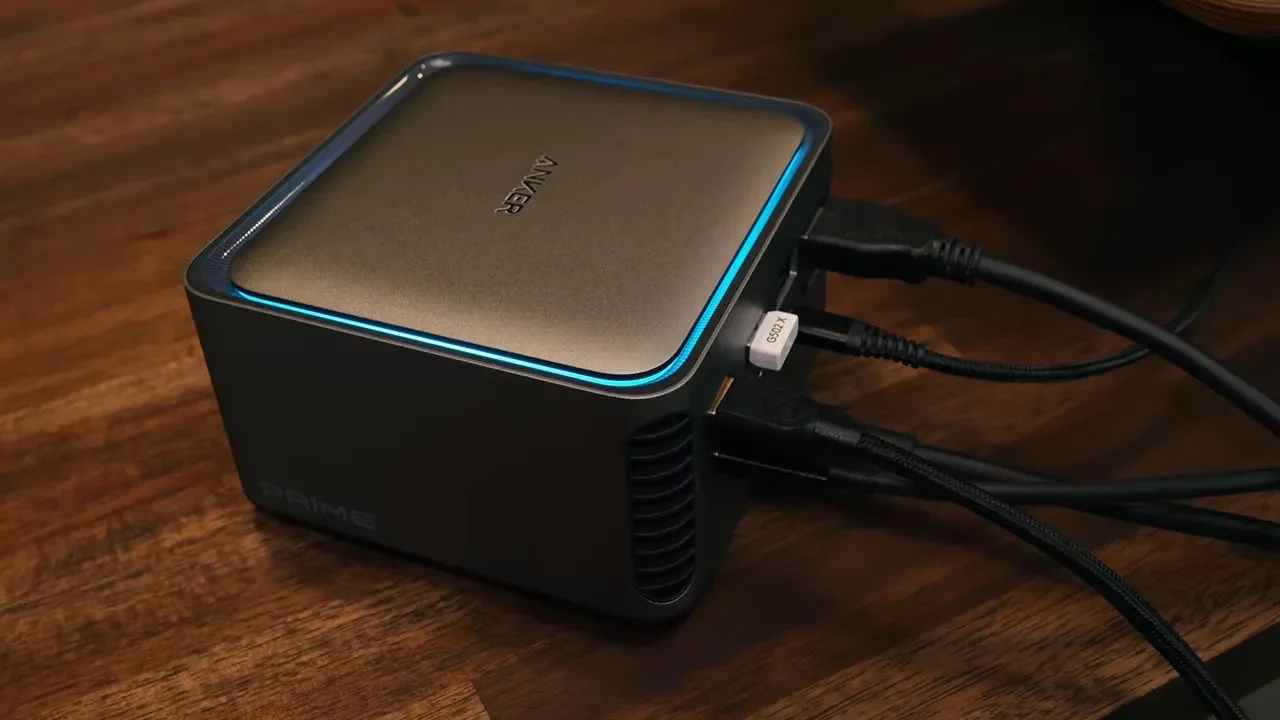
I kept the Anker Prime TB5: power built in, permanent cables out the back, everyday ports in front. The Wavlink UTD58 costs about $100 less and is solid inside, but its separate brick and front laptop cable make it harder to live with.
Wavlink sent me the UTD58 for review. I bought the Anker Prime TB5 myself. Neither brand saw this comparison before it went live.
I have used two Thunderbolt 5 docks with my M5 Max MacBook Pro: the Anker Prime TB5 docking station and the Wavlink UTD58. On paper they look close. Both charge the laptop at up to 140W through one cable, both have 2.5Gb Ethernet, and both are heavy metal boxes built to live on a desk.
The short answer: the Anker is the one on my desk right now. The Wavlink costs about $100 less and is solid inside, but a few design decisions make it harder to live with.
Full reviews, if you want every detail: Anker Prime TB5 review and Wavlink UTD58 review.
Quick verdict
- Get the Anker Prime TB5 if you want a Thunderbolt 5 dock that disappears into a clean, minimal desk: power supply built in, permanent cables out the back, everyday ports in front. For me, the extra money is worth it.
- Get the Wavlink UTD58 if saving about $100 matters more than layout, and you can live with an external power brick, a laptop cable that comes out of the front, and no HDMI or DisplayPort.
Side by side
Anker Prime TB5 | Wavlink UTD58 | |
|---|---|---|
Price when I reviewed it | about $400 | about $300 |
Laptop charging | up to 140W | up to 140W |
Power supply | built into the dock | separate power brick |
Ethernet | 2.5Gb | 2.5Gb |
HDMI / DisplayPort | HDMI 2.1 and DisplayPort 2.1, not at the same time | none, USB-C and Thunderbolt only |
Displays on macOS | up to two, per Anker's spec (only one through HDMI or DisplayPort) | up to two at 6K 60Hz on M-series Pro and Max, per Wavlink's spec |
Card readers | SD and microSD, UHS-I only | on the front |
Laptop cable | back | front |
Build | metal, chunky, desk-only | metal, about 600 g, rubber feet |
How I got it | bought it | sent by Wavlink |
What they have in common
Both docks do the main job well. I connect one cable to the MacBook and the whole desk is there: monitor, Ethernet, SSD, keyboard, mouse and power. When I leave, I unplug one cable.
Both are Thunderbolt 5, so they make sense for a desk with fast external SSDs, more than one display and wired networking. For a keyboard, a mouse and one 4K monitor, either one is more dock than you need, and a Thunderbolt 4 dock will do that job for less.
Power: built-in vs. a separate brick
This is the biggest difference for me. The Anker has its power supply inside the case. There is a power cable, but no extra box to hide under the desk.
The Wavlink uses a separate power brick. It is the main thing I don't like about it. On a product whose whole point is a cleaner desk, one more box to hide works against that.
Port layout
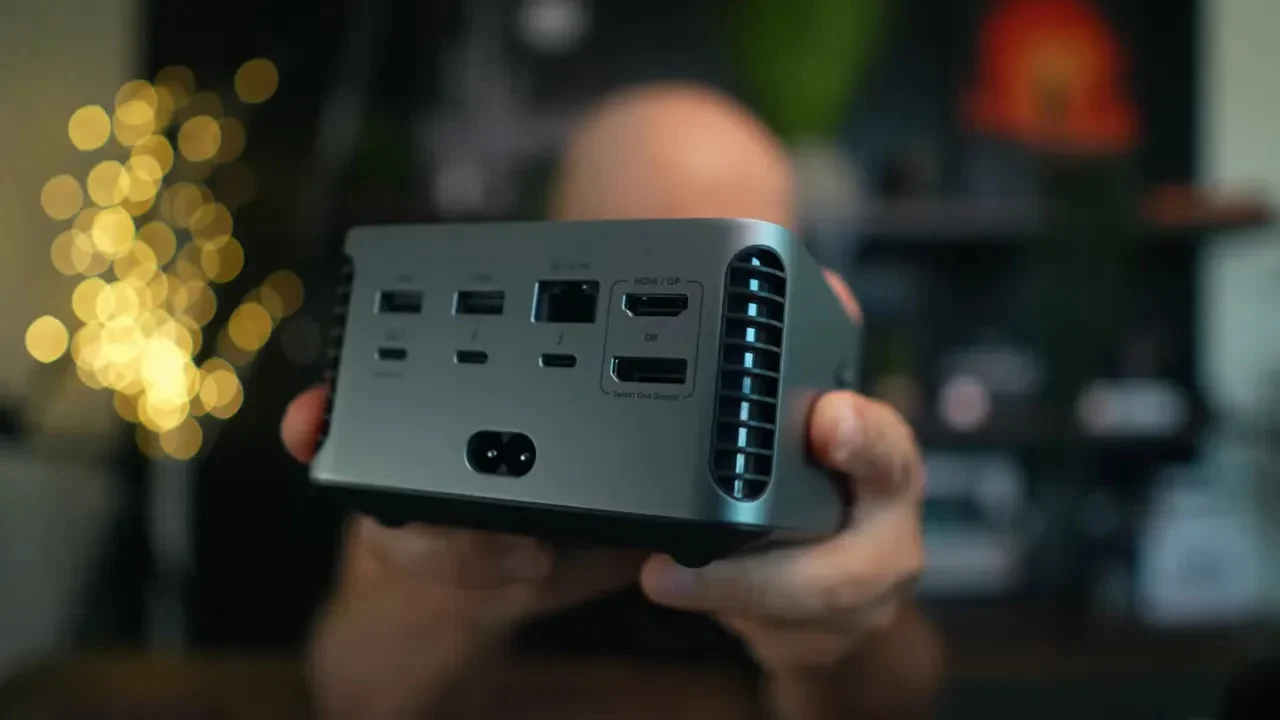
On the Anker, everything I set up once goes out the back: the power cable, the cable to the laptop, the monitor and the Ethernet. The ports I use every day for flash drives and cards are on the front. This layout is the main reason I love this dock. The desk stays clean, and nothing I plug in daily is hidden behind it.
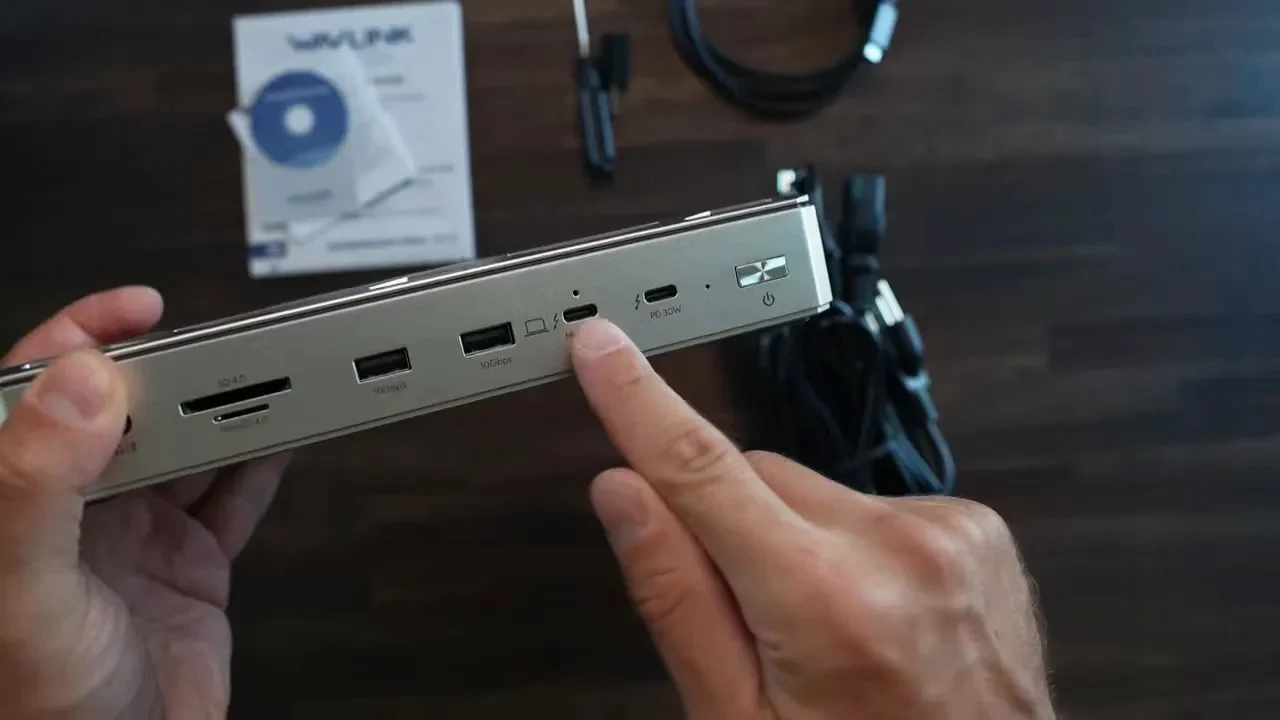
The Wavlink mostly gets this right too, with card readers and USB on the front and power and Ethernet on the back. Then it puts the most important cable, the one to the laptop, on the front. The first time I set it up, I wondered if the dock was supposed to stand vertically. It isn't. The cable works fine, but it makes cable management harder than it needs to be.
Displays
The Anker has HDMI 2.1 and DisplayPort 2.1 on the back, plus Thunderbolt 5 downstream ports. One catch: HDMI and DisplayPort can't be used at the same time, so the dedicated video ports give you one monitor. Anker specifies up to two displays on a Mac, but the second one has to go through a Thunderbolt 5 port: a USB-C or Thunderbolt monitor, or an adapter.
The Wavlink has no HDMI and no DisplayPort at all. With USB-C monitors that's fine. With HDMI monitors, budget for adapters. Wavlink also specifies two displays on macOS, even though my M5 Max can drive more.
With either dock, check your exact laptop and monitors before buying. A port that looks like a display output doesn't guarantee a particular multi-monitor setup will work.
Card readers
This is where the Anker disappoints. Its SD and microSD readers are UHS-I only. For occasional photos that's fine. If you move a lot of video footage off cards, it's a real limitation on a $400 dock.
Build and looks
Both are well built. The Wavlink is heavy, about 600 grams, with rubber feet, so it doesn't slide when I pull a cable. The Anker is chunky too, and it looks better on the desk. With no external brick and a cleaner port layout, it looks like part of the setup, not an adapter that ended up next to the laptop. I had no problems with the Anker at all.
Which one I kept
The Anker Prime TB5. Ports in the right places, power built in, and it looks good on a minimal desk. It costs more, and the card readers could be better, but I think the premium is worth it.
The Wavlink UTD58 is a good dock inside. If $100 matters more to you than a front-facing laptop cable and an extra power brick, it does the job.
Pairs well with
- LG 32GS95UE: my main monitor since 2024 (review)
- Ergotron monitor arm: holds my 32-inch LG OLED
FAQ
Will a Thunderbolt 5 dock work with a Thunderbolt 4 MacBook?
Yes. Thunderbolt 5 is backward compatible with Thunderbolt 4, Thunderbolt 3 and USB4. You get the speed of the slower port, so on a Mac with Thunderbolt 4 ports, such as a MacBook Air, you pay for bandwidth you can't use. A Thunderbolt 4 dock is the better buy there.
Can a dock add more monitors than my Mac supports?
No. The number of external displays depends on the chip in your Mac, not on the docking station. Wavlink's own spec says base M1, M2 and M3 MacBooks run a single external display through the UTD58, while most Pro and Max chips run two.
Do I need HDMI on the dock?
Only if your monitors are HDMI. The Anker has HDMI 2.1 and DisplayPort 2.1. The Wavlink has neither, so an HDMI monitor needs a USB-C to HDMI adapter.
Read the full reviews: Anker Prime TB5 · Wavlink UTD58.
Anker Prime TB5
Wavlink UTD58